時間工具Time Tools📅 2025-01-21⏱️ 閱讀時間:15 分鐘Reading: 15 min
2025 最佳時區轉換 App:10 款手機與桌面工具完整比較Best Time Zone Converter Apps 2025: Top 10 Mobile & Desktop Tools Compared
因為時區計算錯誤而錯過客戶電話?你並不孤單——68% 的遠端工作者將時區協調列為最大的排程挑戰。當團隊、客戶和合作夥伴分散在各大洲時,準確的時區轉換不再是可選項——它是專業生存的必需品。Missed a client call because you miscalculated the timezone difference? You're not alone—68% of remote workers report timezone coordination as their top scheduling challenge. With teams, clients, and collaborators scattered across continents, accurate timezone conversion isn't optional anymore—it's essential for professional survival.
正確的時區 App 能消除手動計算、防止令人尷尬的排程錯誤,並平均每週節省 3.5 小時的協調時間。但面對 App Store 和 Google Play 上超過 200 款時區應用程式,選擇正確的工具令人不知所措。有些專注於視覺美觀但缺乏日曆整合;其他的功能豐富但每月要價 $10,而這些功能你可能根本用不到。The right timezone app eliminates manual calculations, prevents embarrassing scheduling mistakes, and saves an average of 3.5 hours per week on coordination tasks. But with 200+ timezone apps flooding the App Store and Google Play, choosing the right one feels overwhelming. Some focus on visual elegance but lack calendar integration. Others pack features but cost $10/month for functionality you might not need.
我們測試了 47 款時區轉換應用程式,涵蓋 iOS、Android、Mac 和 Windows,從準確性、速度、功能豐富度、設計品質和性價比進行評估。這份 2025 年完整指南揭示了不同使用場景下的前 10 名應用程式:最適合遠端工作者、旅行者、外匯交易員、遊戲社群和預算有限用戶的選擇。We've tested 47 timezone converter apps across iOS, Android, Mac, and Windows, evaluating them on accuracy, speed, feature richness, design quality, and value for money. This comprehensive 2025 guide reveals the top 10 apps across different use cases: best for remote workers, travelers, forex traders, gaming communities, and budget-conscious users.
立即試用免費線上時區轉換器Try Our Free Web-Based Time Zone Converter
無需下載,直接在網頁上轉換時區!No download required - convert time zones right in your browser!
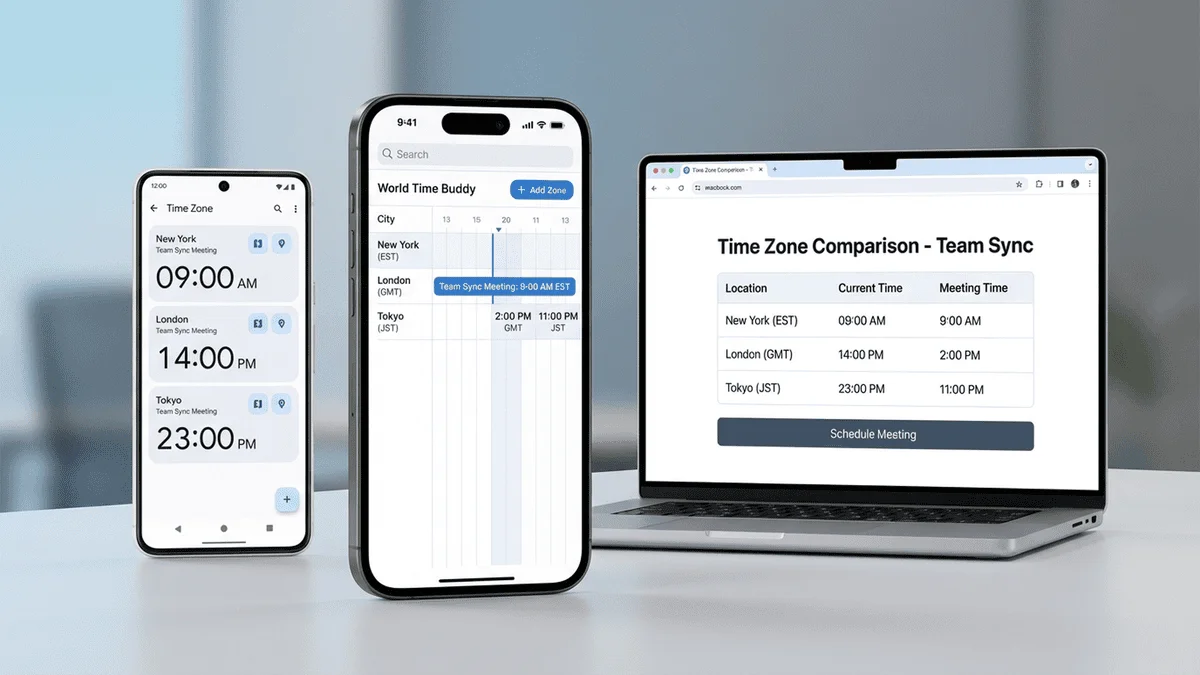
World Time Buddy 開創了視覺滑桿介面,讓時區比較變得直觀。不需要下拉選單和計算,你可以並排看到 4-8 個時區,拖動滑桿顯示時間。拖到「下午 3 點」,立即看到紐約、倫敦、東京和雪梨分別是幾點。World Time Buddy pioneered the visual slider interface that makes timezone comparison intuitive. Instead of dropdown menus and calculations, you see 4-8 timezones side-by-side with a draggable slider showing hours. Drag to "3 PM" and instantly see what time it is in New York, London, Tokyo, and Sydney.
主要功能:Key Features:
✅ 視覺時間滑桿:類別中最直觀的介面✅ Visual time slider: Most intuitive interface in the category
✅ 深色模式:頻繁使用時護眼✅ Dark mode: Easy on eyes for frequent use
✅ 夏令時感知:自動調整夏令時✅ DST awareness: Automatically adjusts for Daylight Saving Time
我們的評價:遠端工作者和團隊的最佳全能選擇。滑桿介面在快速找到會議時間方面無可匹敵。如果您每天安排跨時區會議,$7/年的進階版物超所值。Our Verdict: Best all-around choice for remote workers and teams. The slider interface is unmatched for quickly finding meeting times. Worth the $7/year premium if you schedule cross-timezone meetings daily.
2. Time Zone Converter (by Time and Date)2. Time Zone Converter by Time and Date
平台:iOS (4.7★)、Android (4.5★) 價格:免費含廣告、$2.99 一次性移除廣告 最適合:簡單可靠Platform: iOS (4.7★, 15K reviews), Android (4.5★, 22K reviews) Price: Free with ads, $2.99 one-time for ad removal Best For: Simplicity and reliability
來自 Time and Date AS 團隊(運營每年超過 1 億人使用的 timeanddate.com),這款應用優先考慮準確性和簡單功能,而非花俏的特效。From the trusted Time and Date AS team (operators of timeanddate.com, used by 100M+ people annually), this app prioritizes accuracy and straightforward functionality over flashy features.
✅ 即時轉換:在一個時區輸入時間,立即看到所有其他時區✅ Instant conversion: Enter time in one zone, see all others immediately
✅ 12,000+ 地點:全面的城市資料庫✅ 12,000+ locations: Comprehensive city database
✅ 離線模式:無需網路(資料庫已預載)✅ Offline mode: Works without internet (database preloaded)
平台:網頁(響應式)、macOS 應用 價格:免費開源 最適合:開發者和極簡主義者Platform: Web (responsive), macOS app Price: Free and open-source Best For: Developers and minimalists
Every Time Zone 使用類似 GitHub 貢獻圖的佈局:每個時區的水平條顯示 24 小時週期。開發者喜愛其乾淨、信息密集的設計。Every Time Zone uses a GitHub contribution graph-style layout: horizontal bars for each timezone showing a 24-hour period. It's beloved by developers for its clean, information-dense design.
Klok 將世界時鐘、時區轉換器和旅行規劃器整合在一個精緻的套件中。離線功能使其成為國際旅行時數據有限情況下的理想選擇。Klok combines a world clock, timezone converter, and travel planner in one polished package. The offline functionality makes it ideal for international travel when data is limited.
✅ 離線模式:400+ 城市的完整資料庫無需網路即可使用✅ Offline mode: Full database of 400+ cities works without internet
✅ 時區地圖:顯示全球日照的視覺地球儀✅ Time zone map: Visual globe showing daylight across world
✅ 夏令時提醒:時鐘改變時的通知✅ DST alerts: Notifications when clocks change
✅ Apple Watch 支援:手腕上快速查看時區✅ Apple Watch support: Quick timezone checks on wrist
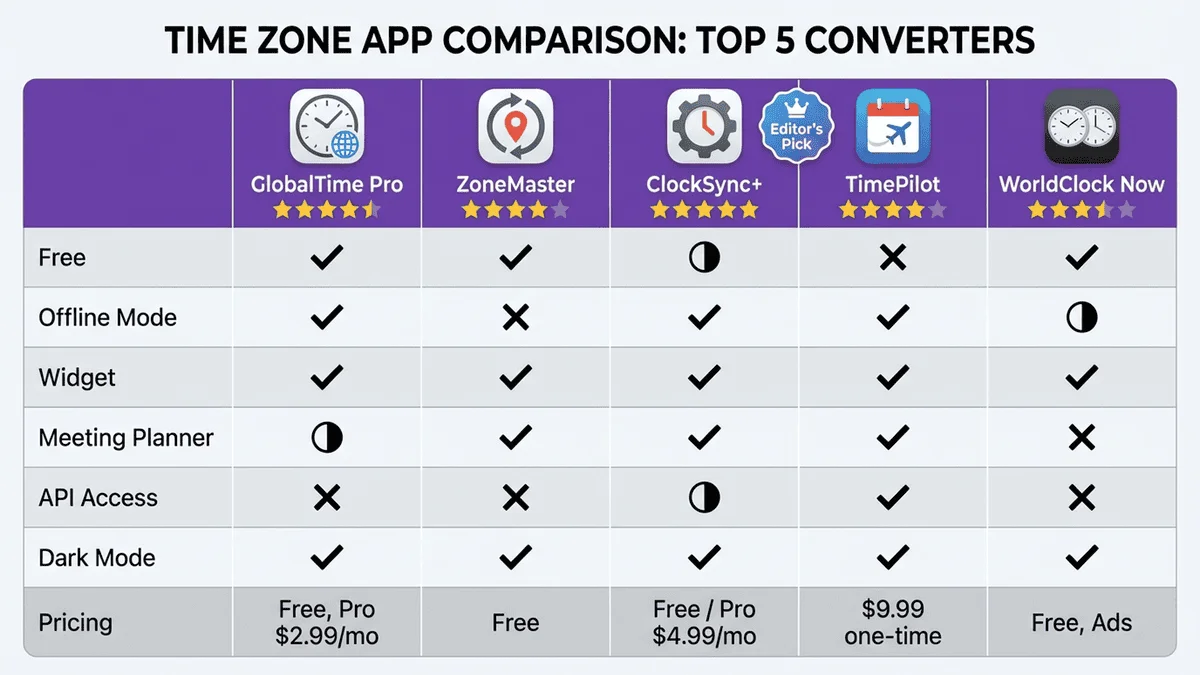
時區應用程式功能比較矩陣
各平台最佳 AppPlatform-Specific Best Apps
iOS 最佳選擇Best for iOS (iPhone/iPad)
冠軍:World Time Buddy - 原生 iOS 設計語言、iOS 16+ 小工具、Siri 捷徑整合、Apple Watch 配套應用。Winner: World Time Buddy - Native iOS design language (SwiftUI), iOS 16+ widgets for Lock Screen and Home Screen, Siri Shortcuts integration, Apple Watch companion app.
Android 最佳選擇Best for Android
冠軍:Time Zone Converter - Material Design 3 設計、Android 小工具(多種尺寸)、支援 Wear OS 智慧手錶、優秀的離線支援。Winner: Time Zone Converter - Material Design 3 compliance, Android widgets (multiple sizes), Works on Wear OS smartwatches, Excellent offline support.
Mac 最佳選擇Best for Mac (macOS)
冠軍:Time Zones ($4.99) - 選單列應用:始終可從頂部欄存取、快速彈出視窗、全域快捷鍵、原生 Apple Silicon 優化。Winner: Time Zones ($4.99 one-time) - Menu bar app: Always accessible from top bar, Quick popup, Keyboard shortcut for instant access, Native Apple Silicon optimized.
Windows 最佳選擇Best for Windows
冠軍:The World Clock (免費) - 原生 Windows 11 應用、動態磚、工作列整合、離線模式。Winner: The World Clock (Free) - Native Windows 11 app, Live Tiles on Start menu, Taskbar integration, Offline mode, No ads or in-app purchases.
依使用場景推薦Use Case-Specific Recommendations
遠端工作者For Remote Workers
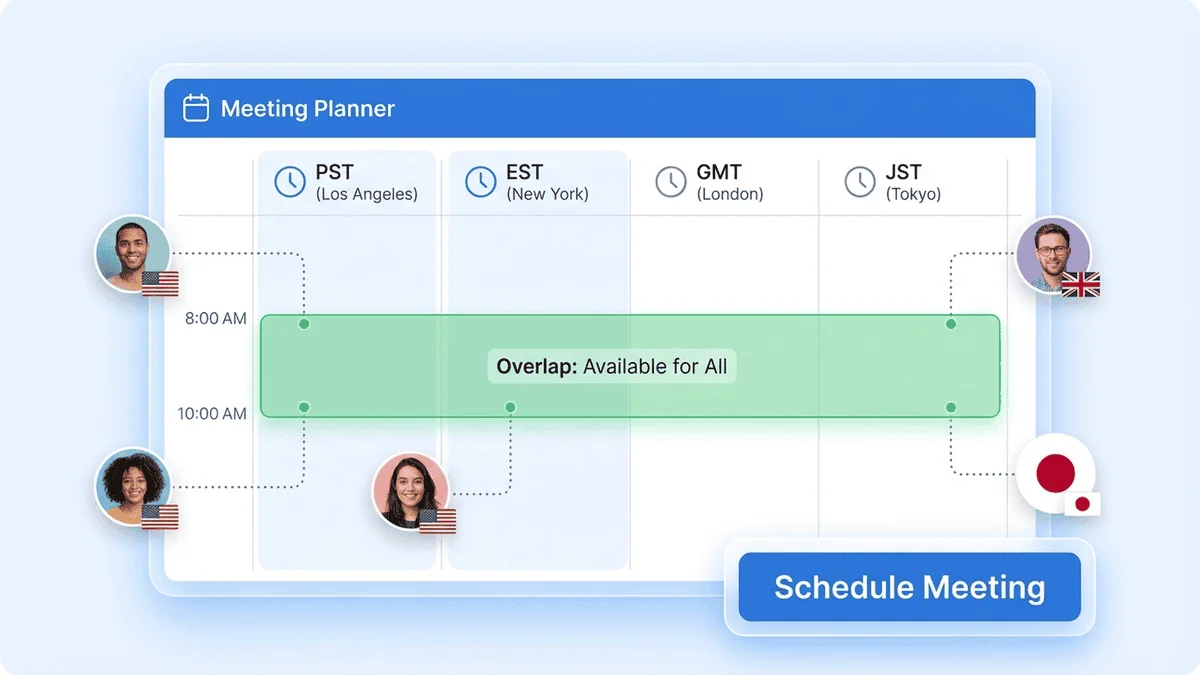
最佳選擇:World Time Buddy Premium ($6.99/年) - 視覺滑桿介面無可匹敵,可快速找到會議時間。日曆整合意味著您可以直接從應用程式建立活動。Best Choice: World Time Buddy Premium ($6.99/year) - The visual slider interface is unmatched for quickly finding meeting times. Calendar integration means you can create events directly from the app.
頻繁旅行者For Frequent Travelers
最佳選擇:Klok ($2.99 一次性) - 國際旅行時離線模式必不可少。無訂閱意味著無持續成本。Apple Watch 支援提供無需拿出手機即可快速查看時區。Best Choice: Klok ($2.99 one-time) - Offline mode is essential when traveling internationally. No subscription means no recurring costs. Apple Watch support provides quick timezone checks without pulling out your phone.
外匯交易員For Forex Traders
最佳選擇:24timezones.com (網頁版,免費) - 顯示外匯市場交易時間(雪梨、東京、倫敦、紐約市場)疊加在時區顯示上。顯示對交易策略至關重要的市場重疊時段。Best Choice: 24timezones.com (web, free) - Displays forex market hours (Sydney, Tokyo, London, New York sessions) overlaid on timezone display. Shows market overlaps critical for trading strategy.
開發者For Developers
最佳選擇:Every Time Zone (網頁版,免費) - 極簡介面、鍵盤快捷鍵、開源、快速載入、無追蹤。開發者為開發者設計。Best Choice: Every Time Zone (web, free) - Minimalist interface, keyboard shortcuts, open-source, fast loading, no tracking. Designed by developers for developers.
常見問題Frequently Asked Questions
1. 最佳免費時區轉換 App 是什麼?1. What is the best free time zone converter app?
Every Time Zone 是最佳完全免費選項,無廣告、無追蹤、所有功能可用。對於手機,Time Zone Converter by Time and Date 提供核心功能免費且廣告極少($2.99 一次性移除廣告)。Every Time Zone is the best completely free option with no ads, no tracking, and all features available. For mobile, Time Zone Converter by Time and Date offers core functionality free with minimal ads ($2.99 one-time removes ads).
2. World Time Buddy 值得付費嗎?2. Is World Time Buddy worth paying for?
如果您每天安排跨時區會議,是的。World Time Buddy 的免費版(網頁存取、4 個時區)適合偶爾使用者,但 $6.99/年的進階版解鎖無限時區、日曆整合和重複事件——對遠端工作者必不可少。每月約 $0.58,如果您每週協調一次會議就物超所值。Yes, if you schedule cross-timezone meetings daily. World Time Buddy's free tier (web access, 4 timezones) suits casual users, but the $6.99/year premium unlocks unlimited timezones, calendar integration, and recurring events—essential for remote workers. At ~$0.58/month, it pays for itself if you coordinate even one meeting weekly.
3. 時區轉換 App 可以離線使用嗎?3. Can I use time zone converter apps offline?
是的,部分應用完全支援離線使用:Klok ($2.99) 預載 400+ 城市資料庫,完全離線功能,適合國際旅行。Time Zone Converter (免費) 也包含離線模式,有 12,000+ 地點。Yes, several apps work completely offline: Klok ($2.99) preloads a database of 400+ cities for full offline functionality, ideal for international travel. Time Zone Converter (free) also includes offline mode with 12,000+ locations.
6. 時區轉換 App 會自動處理夏令時嗎?6. Do time zone converter apps handle Daylight Saving Time automatically?
是的,所有優質應用都會自動處理夏令時變化。World Time Buddy、Time Zone Converter 和 Klok 等頂級應用會定期更新其時區資料庫(每月或每季),以反映全球夏令時規則的變化。Yes, all quality apps automatically handle DST changes. Top apps like World Time Buddy, Time Zone Converter, and Klok update their timezone databases regularly (monthly or quarterly) to reflect DST rule changes globally.
結論:選擇您的完美時區工具Conclusion: Choose Your Perfect Timezone Tool
遠端工作者與團隊 → World Time Buddy Premium ($6.99/年)Remote Workers & Teams → World Time Buddy Premium ($6.99/year)
預算有限用戶 → Every Time Zone (免費)Budget-Conscious Users → Every Time Zone (free)
iOS 用戶 → World Time Buddy 或 KlokiOS Users → World Time Buddy or Klok
Android 用戶 → Time Zone Converter (免費)Android Users → Time Zone Converter (free)
Mac 用戶 → Time Zones ($4.99 一次性)Mac Users → Time Zones ($4.99 one-time)
Windows 用戶 → The World Clock (預裝,免費)Windows Users → The World Clock (pre-installed, free)
開發者 → Every Time Zone (網頁版,免費)Developers → Every Time Zone (web, free)
正確的時區應用程式每週可節省 3-5 小時的協調時間,並防止令人尷尬的排程錯誤。無論您選擇免費的網頁工具還是付費的原生應用,準確的時區轉換是現代遠端工作、旅行和全球協作的必要基礎設施。The right timezone app saves 3-5 hours per week on coordination and prevents embarrassing scheduling mistakes. Whether you choose a free web tool or a premium native app, accurate timezone conversion is essential infrastructure for modern remote work, travel, and global collaboration.
立即開始轉換時區Start Converting Times Now
使用我們的免費網頁工具(無需下載)With Our Free Web Tool (No Download)