從基礎到進階,全面理解時間戳的原理、格式、應用和最佳實踐From basics to advanced, fully understand timestamp principles, formats, applications and best practices
📅 發布日期📅 Published:2025-01-27📅 Published: Jan 27, 2025⏱️ 閱讀時間⏱️ Reading Time:約 10 分鐘⏱️ Reading Time: ~10 minutes📊 難度:入門到進階Beginner to Advanced📊 Difficulty: Beginner to Advanced🏷️ 分類:開發技術🏷️ Category: Development
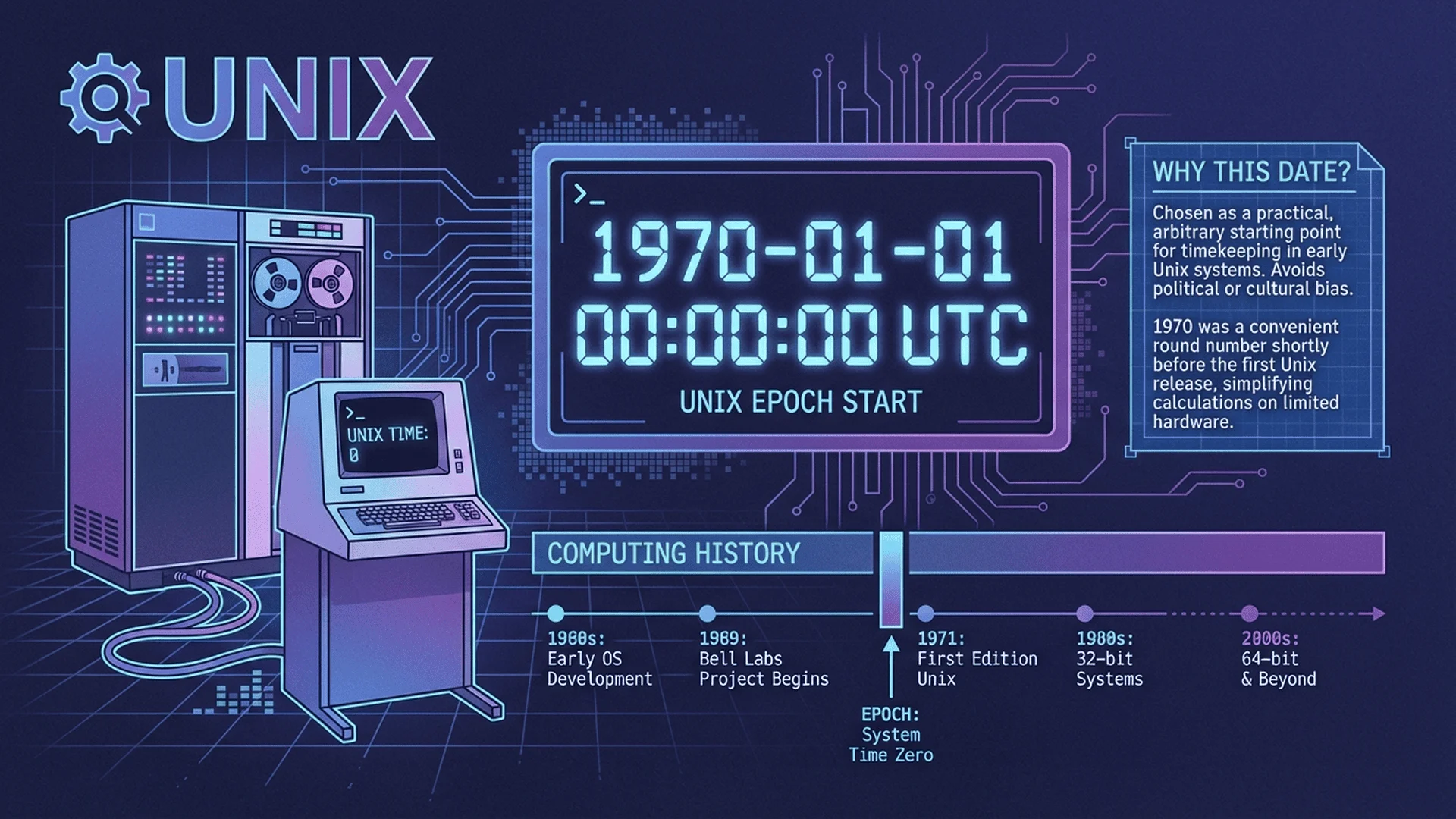
Unix時間戳起源與1970年元年意義
📌 什麼是時間戳?📌 What is a Timestamp?
在軟體開發中,時間戳(Timestamp)是表示特定時間點的數值或字串,用於記錄事件發生的時刻。時間戳是跨平台、跨語言的通用時間表示方式,廣泛應用於資料庫、API、日誌系統、分散式系統等場景。In software development, a Timestamp is a numeric or string value representing a specific point in time, used to record when events occur. Timestamps are cross-platform and cross-language universal time representations, widely used in databases, APIs, logging systems, and distributed systems.
💡 為什麼需要時間戳?💡 Why Do We Need Timestamps?
傳統的日期時間表示(如「2025年1月27日 下午3:45」)存在以下問題:Traditional date-time representations (like "January 27, 2025, 3:45 PM") have the following problems:
語言差異Language differences:不同語言的日期格式不同(美國 MM/DD/YYYY vs 台灣 YYYY/MM/DD): Different languages use different date formats (US MM/DD/YYYY vs Taiwan YYYY/MM/DD)
時區混亂Timezone confusion:同一時刻在不同時區顯示不同: The same moment displays differently in different timezones
比較困難Comparison difficulty:無法直接用數值比較時間先後: Cannot directly compare time sequence using numerical values
儲存效率Storage efficiency:字串儲存佔用空間大: String storage takes up more space
時間戳解決了這些問題,提供統一、高效的時間表示方式。Timestamps solve these problems by providing a unified and efficient time representation.
🌐 時間戳的核心概念🌐 Core Concepts of Timestamps
所有時間戳都基於一個共同的參考點:Epoch(紀元時間)。All timestamps are based on a common reference point: the Epoch.
Unix Epoch:1970年1月1日 00:00:00 UTC: January 1, 1970 00:00:00 UTC
時間戳的值Timestamp value:從 Epoch 開始經過的秒數(或毫秒數): Seconds (or milliseconds) elapsed since Epoch
正數Positive numbers:1970年之後的時間: Time after 1970
負數Negative numbers:1970年之前的時間(較少使用): Time before 1970 (rarely used)
📊 範例:理解時間戳📊 Example: Understanding Timestamps
時間戳(秒)Timestamp (seconds):1706342400
含義Meaning:從 1970-01-01 00:00:00 UTC 過了 1,706,342,400 秒: 1,706,342,400 seconds have passed since 1970-01-01 00:00:00 UTC
對應日期Corresponding date:2024-01-27 08:00:00 UTC
台北時間(UTC+8)Taipei time (UTC+8):2024-01-27 16:00:00
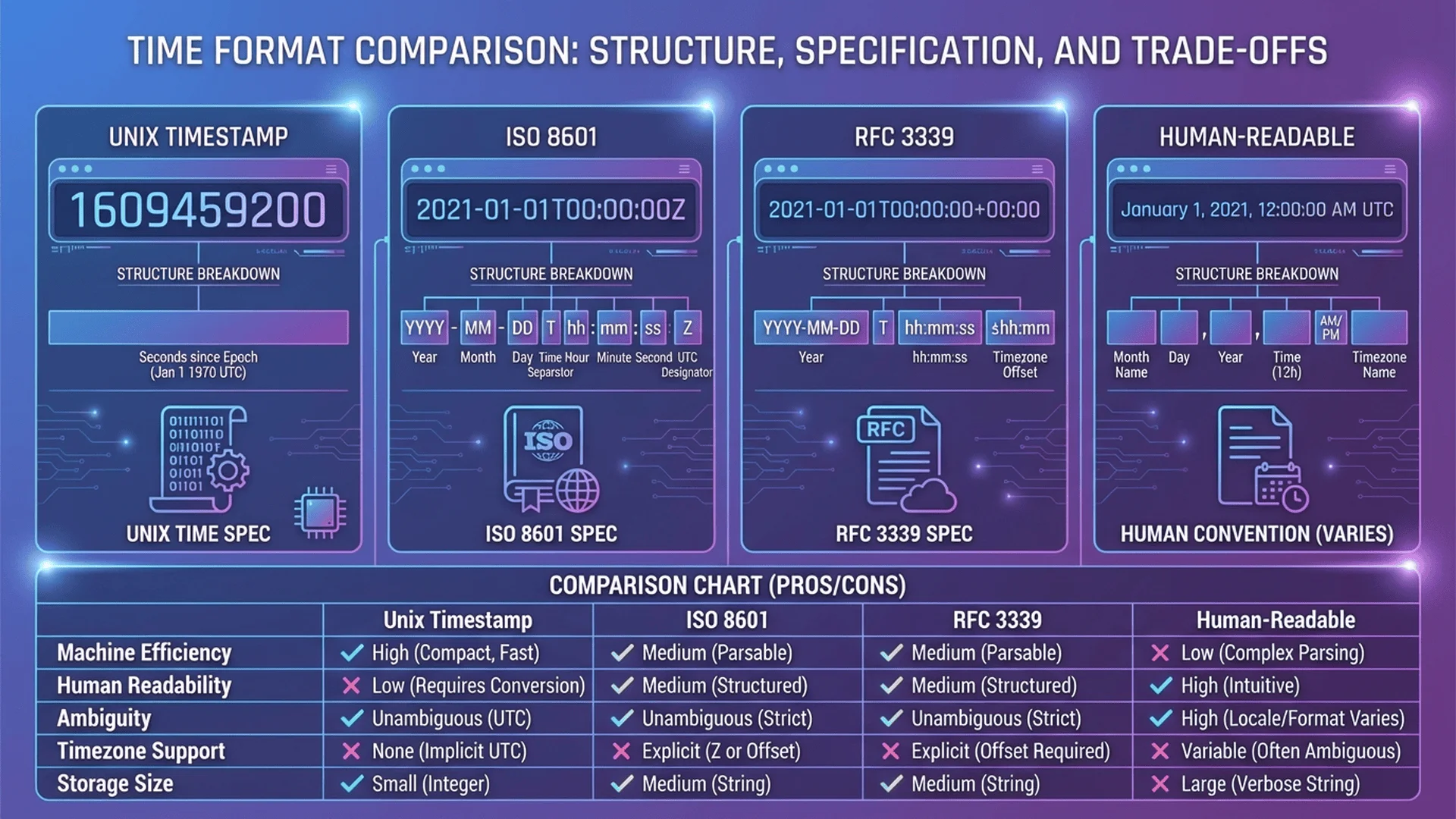
ISO 8601時間格式標準與RFC 3339規範
📝 常見時間戳格式📝 Common Timestamp Formats
1️⃣ Unix 時間戳(Unix Timestamp)1️⃣ Unix Timestamp
最常用的時間戳格式,以數字表示從 1970-01-01 00:00:00 UTC 經過的時間。The most commonly used timestamp format, representing time elapsed since 1970-01-01 00:00:00 UTC as a number.
時區(Time Zone)是地球上的不同區域使用的標準時間。地球被劃分為 24 個時區,每個時區相差 1 小時。Time Zone is the standard time used in different regions of the Earth. The Earth is divided into 24 time zones, each differing by 1 hour.
UTC(Coordinated Universal Time):世界協調時間,時區的基準: Coordinated Universal Time, the baseline for time zones
GMT(Greenwich Mean Time):格林威治標準時間,與 UTC 幾乎相同: Greenwich Mean Time, nearly identical to UTC
時區偏移Timezone offset:相對 UTC 的小時差(如 UTC+8、UTC-5): Hours difference from UTC (e.g., UTC+8, UTC-5)
常見時區對照Common Timezone Reference
城市/地區City/Region
時區縮寫Abbreviation
UTC 偏移UTC Offset
範例時間Example Time
倫敦London
GMT/UTC
UTC+0
08:00
台北、北京、新加坡Taipei, Beijing, Singapore
CST
UTC+8
16:00
東京Tokyo
JST
UTC+9
17:00
雪梨Sydney
AEDT
UTC+11
19:00
紐約New York
EST
UTC-5
03:00
洛杉磯Los Angeles
PST
UTC-8
00:00
💡 時區轉換公式💡 Timezone Conversion Formula
從 UTC 轉換到本地時間Convert UTC to local time:
本地時間 = UTC時間 + 時區偏移Local time = UTC time + Timezone offset
在跨時區應用中,永遠使用 UTC 儲存時間,顯示時才轉換為本地時間。In cross-timezone applications, always store time in UTC, only convert to local time when displaying.
原因:夏令時間會導致時間「跳躍」(如 2:00 AM 突然變成 3:00 AM),手動計算容易出錯。Reason: DST causes time "jumps" (e.g., 2:00 AM suddenly becomes 3:00 AM), making manual calculations error-prone.
最佳實踐Best practice:使用專業時間處理函式庫(如 Moment.js、Day.js、date-fns)處理時區轉換。: Use professional time handling libraries (e.g., Moment.js, Day.js, date-fns) for timezone conversion.
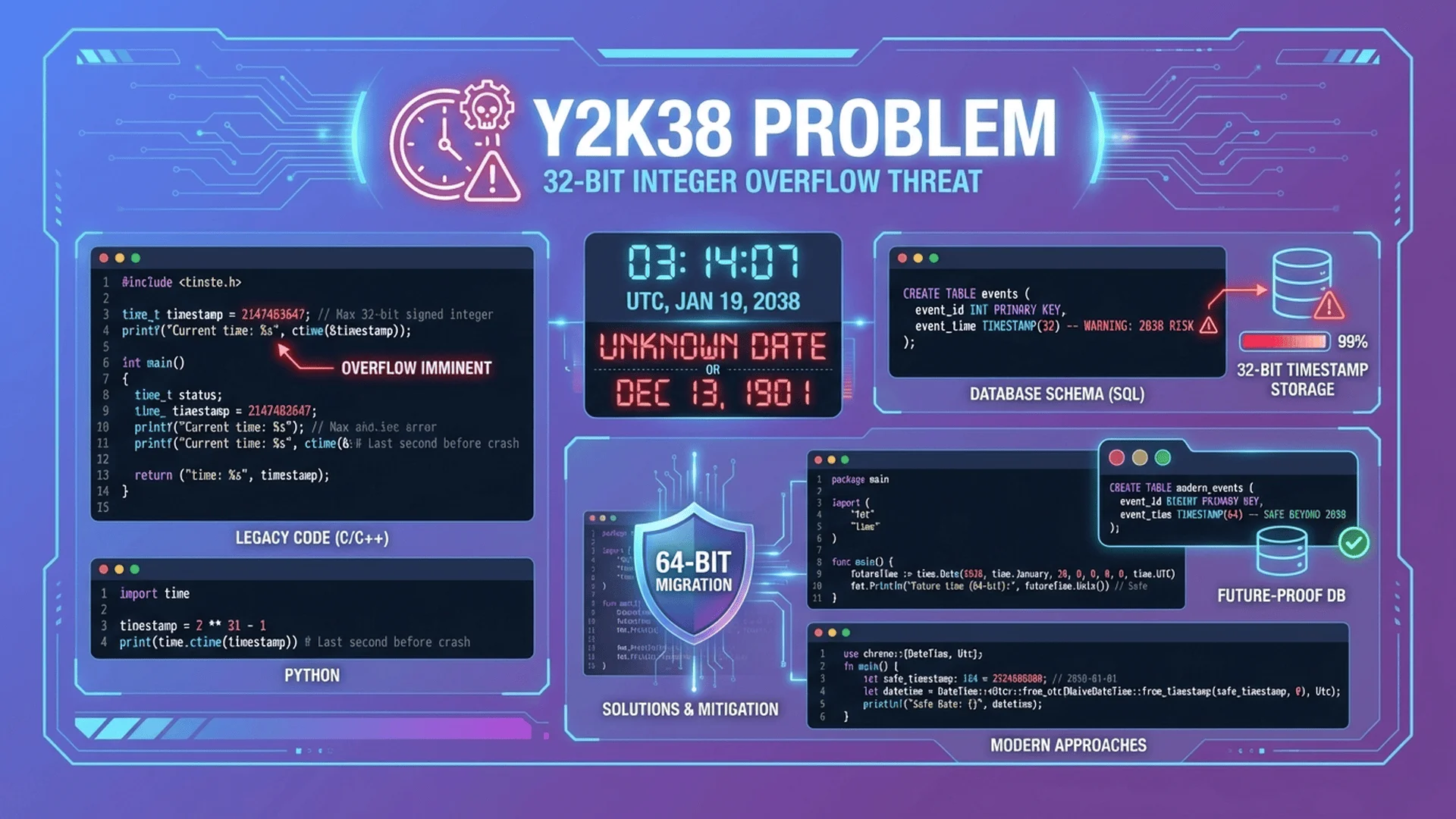
🚨 Y2K38 問題:時間戳的極限🚨 Y2K38 Problem: The Limit of Timestamps
什麼是 Y2K38 問題?What is the Y2K38 Problem?
Y2K38 問題(Year 2038 Problem)是指使用 32 位元有符號整數儲存 Unix 時間戳的系統,將在 2038 年 1 月 19 日 03:14:07 UTC 發生溢位。The Y2K38 Problem (Year 2038 Problem) refers to systems using 32-bit signed integers to store Unix timestamps, which will overflow on January 19, 2038 at 03:14:07 UTC.
📊 技術原理📊 Technical Principles
32 位元有符號整數範圍32-bit signed integer range:-2,147,483,648 到to 2,147,483,647
最大時間戳Maximum timestamp:2,147,483,647 秒seconds = 2038-01-19 03:14:07 UTC
溢位後果Overflow consequences:時間戳變成負數,系統時間跳回 1901 年: Timestamp becomes negative, system time jumps back to 1901
⏰ Y2K38 臨界點⏰ Y2K38 Critical Point
最後一秒(32位元)Last second (32-bit):2038-01-19 03:14:07 UTC
時間戳Timestamp:2147483647
下一秒(溢位)Next second (overflow):-2147483648 → 1901-12-13 20:45:52 UTC
🔧 解決方案🔧 Solutions
方案Solution
說明Description
優點Pros
缺點Cons
使用 64 位元整數Use 64-bit integers
將時間戳從 32 位元升級到 64 位元Upgrade timestamps from 32-bit to 64-bit
可表示到 2920 億年後,實質無限制Can represent 292 billion years, virtually unlimited
需修改舊系統程式碼和資料庫Requires modifying legacy code and databases
使用無符號 32 位元Use unsigned 32-bit
移除負數範圍,延長到 2106 年Remove negative range, extend to 2106
無需變更資料結構大小No need to change data structure size
只延後 68 年,不是終極解決方案Only delays 68 years, not a final solution
使用毫秒時間戳Use millisecond timestamps
使用 64 位元儲存毫秒級時間戳Use 64-bit to store millisecond timestamps
精度更高,範圍也足夠Higher precision, sufficient range
需修改現有 API 和資料格式Requires modifying existing APIs and data formats
✅ 現代系統的狀況✅ Status of Modern Systems
好消息:大部分現代作業系統和程式語言已使用 64 位元時間戳:Good news: Most modern operating systems and programming languages now use 64-bit timestamps:
Linux:從 5.6 版本開始全面支援 64 位元 time_t: Full 64-bit time_t support since version 5.6