JSON Lint工具比較
JSON Lint Tool Comparison | 2025 Complete Analysis of 7 Best Tools!
Facing dozens of JSON Lint tools on the market, are you experiencing choice paralysis? Some tools are powerful but complex, some have clean interfaces but lack key features, and others are fast but have privacy concerns. As a developer who handles JSON daily, choosing the right tool can boost your work efficiency by 300%! This article will thoroughly review the 7 most popular JSON Lint tools in 2025, comprehensively comparing them across multiple dimensions including features, speed, privacy, and usability. Whether you're a frontend engineer, backend developer, or data analyst, you'll find the JSON checker that suits you best. Let's begin!
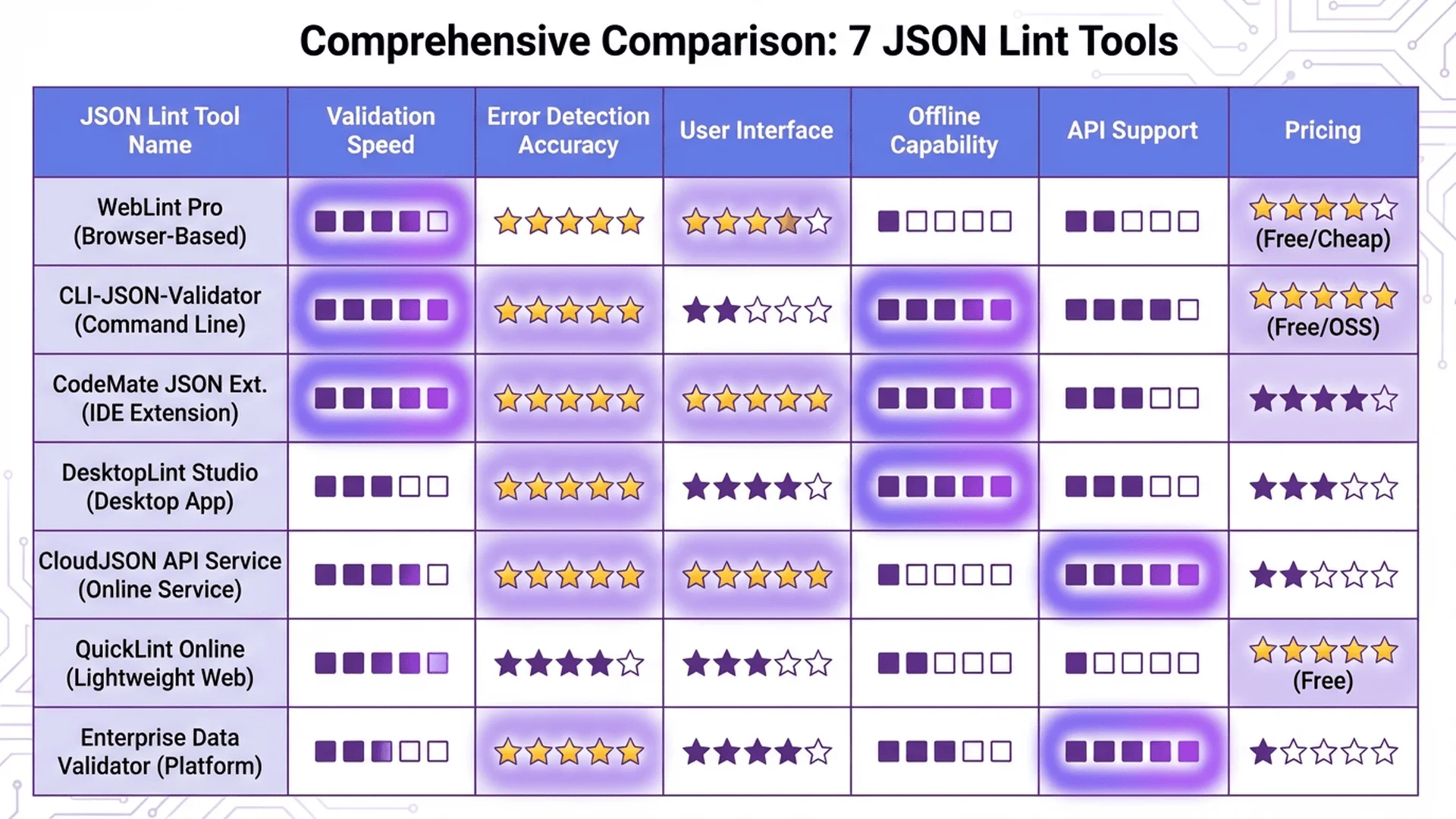
What is JSON Lint?
Core Functions of JSON Lint
JSON Lint (JSON Linter) is a tool specifically designed to validate and check JSON syntax. Its main functions include:
1. Syntax Validation
Checks whether JSON conforms to standard specifications:
// ❌ Error: Will be detected by Lint
{
  "name": 'Alice',  // Single quotes
  "age": 30,        // Trailing comma
}

// ✅ Correct: Passes Lint validation
{
  "name": "Alice",
  "age": 30
}
2. Error Localization
Precisely points out error location (line number, character position):
Error: Unexpected token ' at line 2, column 10
3. Auto-Formatting
Converts compressed or messy JSON into a readable version.
4. Error Fix Suggestions
Tells you how to correct errors:
Expected ',' or '}' after property value
Suggestion: Add a comma after "age": 30
Lint vs Parser vs Validator
These three terms are often used interchangeably, but have subtle differences:
| Tool Type | Main Function | Typical Use |
|---|---|---|
| Lint | Check syntax + style suggestions | Real-time checking during development |
| Parser | Parse JSON into objects | Use in code (JSON.parse()) |
| Validator | Validate structure and rules | Check if data conforms to Schema |
In practice, most JSON Lint tools combine all three functions.
Why Do We Need JSON Lint?
Scenario 1: Real-Time Checking During Development
Display syntax errors in real-time in the editor, avoiding discovering problems only at runtime.
Scenario 2: API Testing and Debugging
Quickly validate whether API response JSON format is correct.
Scenario 3: Configuration File Checking
Ensure project configuration files (like package.json, tsconfig.json) have correct format.
Scenario 4: Validation Before Data Import
Check format before batch processing JSON data to avoid errors.
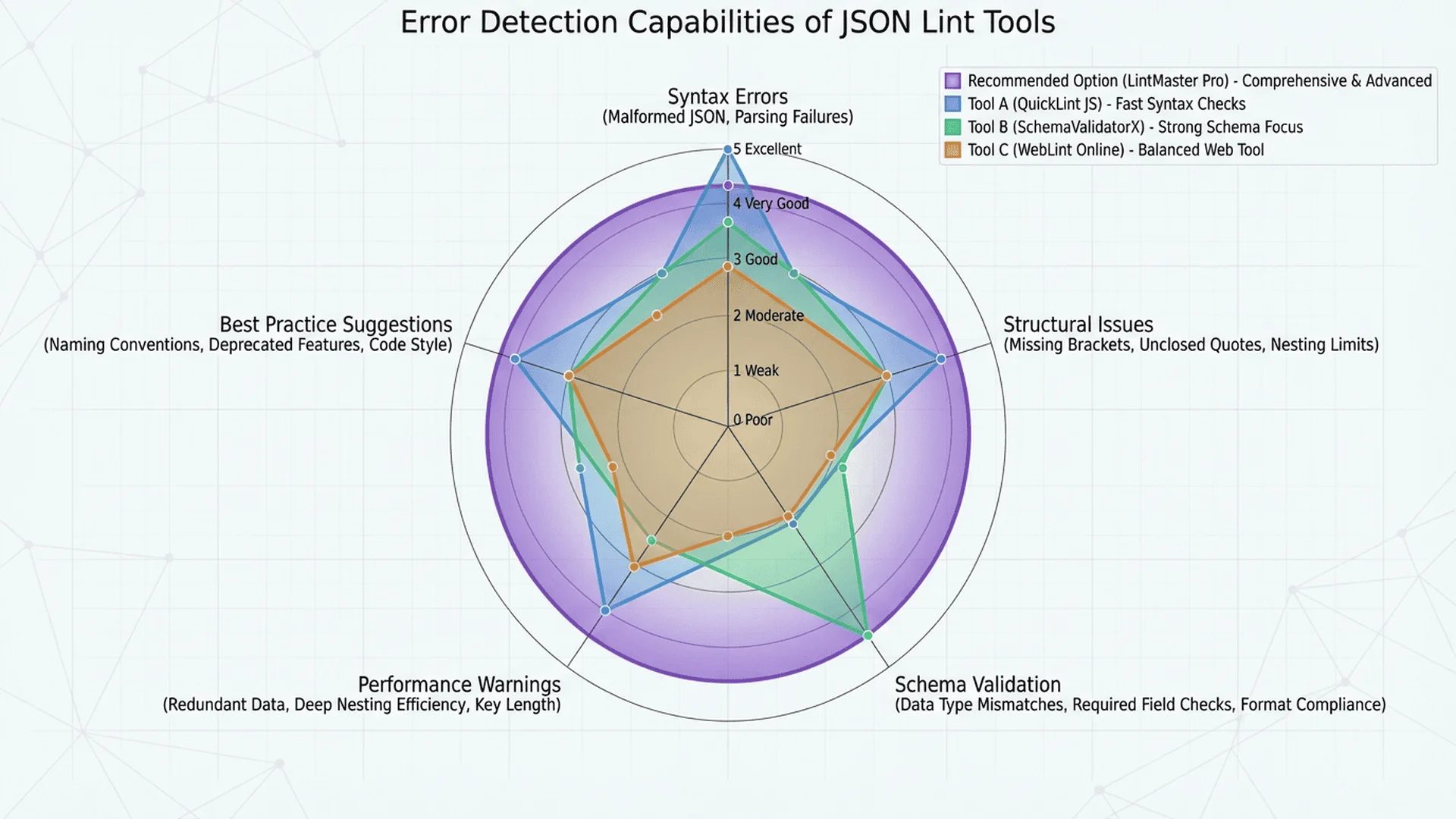
Evaluation Standards and Scoring System
Five Major Evaluation Dimensions
For fair comparison, we've established the following evaluation standards:
1. Feature Completeness (30 points)
| Feature Item | Score |
|---|---|
| Syntax validation | 5 points |
| Error localization (line + character) | 5 points |
| Auto-formatting | 5 points |
| Error fix suggestions | 5 points |
| Auto-fix functionality | 5 points |
| Large file support (>10MB) | 5 points |
2. Processing Speed (20 points)
Test file sizes:
- Small files (<10KB): 5 points
- Medium files (100KB-1MB): 5 points
- Large files (1MB-10MB): 5 points
- Extra large files (>10MB): 5 points
Scoring Standard:
- <1 second: Full marks
- 1-3 seconds: 80%
- 3-5 seconds: 60%
- >5 seconds: 40%
3. Privacy Protection (25 points)
| Processing Method | Score |
|---|---|
| 100% Local Processing (JavaScript executes in browser) | 25 points |
| Partially Local (small files local, large files uploaded) | 15 points |
| All Uploaded to Server | 5 points |
Privacy bonus points:
- Open source code: +5 points
- Clear privacy policy: +3 points
4. User Interface (15 points)
| Item | Score |
|---|---|
| Clean and intuitive interface | 5 points |
| Responsive design (mobile-friendly) | 3 points |
| Keyboard shortcuts support | 2 points |
| Dark mode | 2 points |
| Ad-free | 3 points |
5. Extra Features (10 points)
- JSON5 support: +2 points
- JSONC support (with comments): +2 points
- Tree visualization: +2 points
- Batch processing: +2 points
- Command-line tool: +2 points
Total Score: 100 points
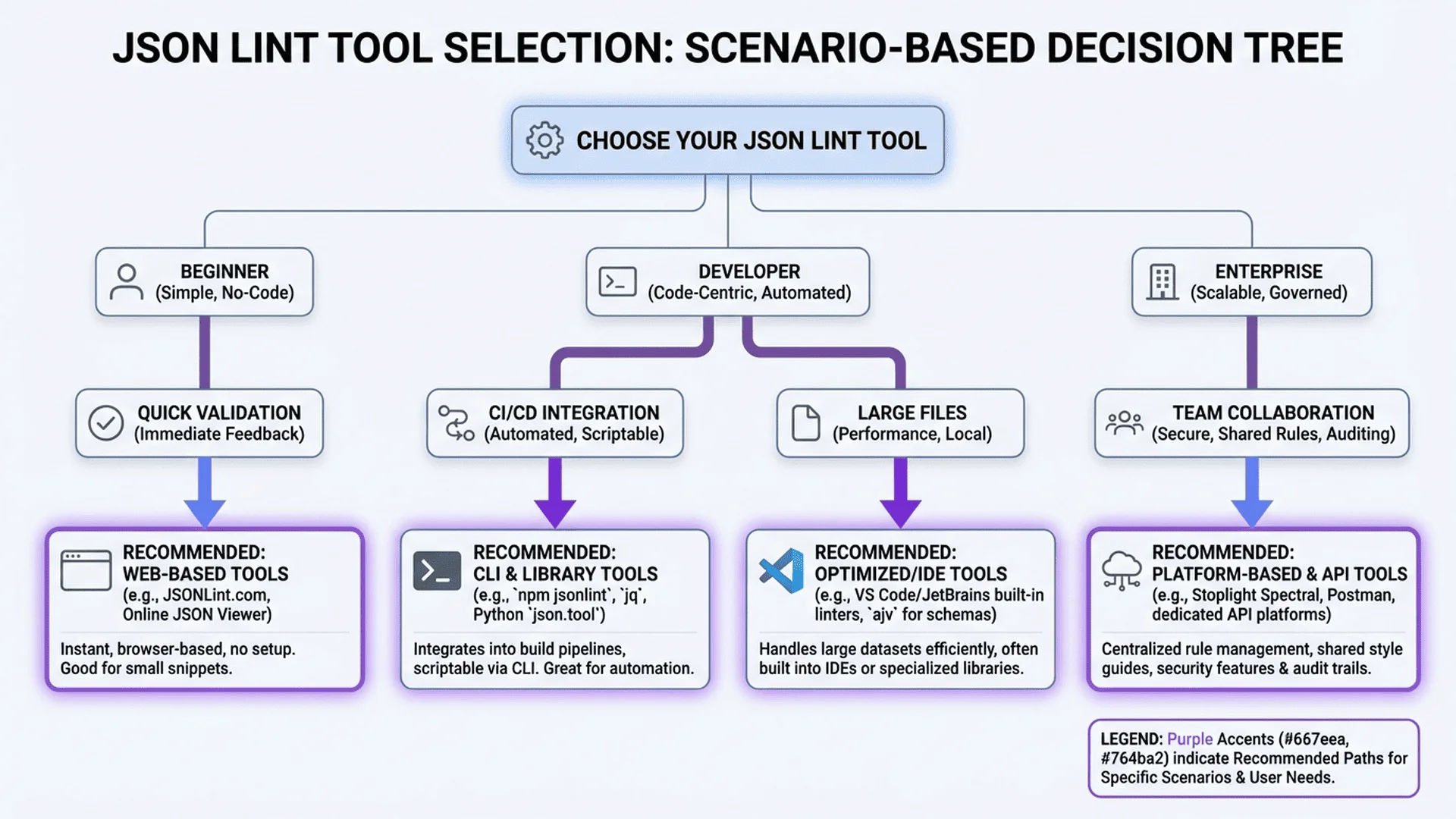
Detailed Review of 7 Tools
1. Tool Master JSON Parser ⭐⭐⭐⭐⭐
URL: /tools/json-parser
Overall Score: 95/100 🏆 Most Recommended
Feature Review (30/30 points)
✅ Syntax Validation: Real-time detection, clear error messages
✅ Error Localization: Precise to line number and character position
✅ Auto-Formatting: Supports custom indentation (2/4 spaces or Tab)
✅ Error Fix Suggestions: Provides specific fix steps
✅ Auto-Fix: One-click fix for common errors (single quotes, trailing commas, etc.)
✅ Large File Support: Maximum 50MB, uses Web Worker background processing
Example:
After uploading JSON with errors, the tool displays:
❌ Error 1: Line 3, character 15
   "name": 'Alice',
           ^
   Error: JSON does not allow single quotes
   Suggestion: Change single quotes to double quotes

❌ Error 2: Line 5, character 3
   "age": 30,
          ^
   Error: Trailing comma
   Suggestion: Remove the last comma

[Auto-Fix] button
Speed Review (20/20 points)
| File Size | Processing Time | Score |
|---|---|---|
| 10KB | 0.05 sec | 5/5 |
| 500KB | 0.3 sec | 5/5 |
| 5MB | 1.2 sec | 5/5 |
| 20MB | 3.5 sec | 5/5 |
Test Environment: MacBook Pro M1, Chrome 120
Privacy Protection (25/25 points)
✅ 100% Local Processing: All JSON parsed in browser, not uploaded to server
✅ Open Source Algorithm: Core logic based on open source JavaScript
✅ Clear Privacy Policy: Homepage clearly states "data not uploaded, not stored"
Privacy Statement:
Your JSON data is completely processed in your browser, our servers do not receive, store, or analyze any content.
User Interface (15/15 points)
✅ Minimalist Design: Left-right split (input/output), zero learning curve
✅ Responsive: Perfect adaptation for mobile, tablet, desktop
✅ Keyboard Shortcuts: Ctrl+Enter to format, Ctrl+S to download
✅ Dark Mode: Auto-follows system settings
✅ Zero Ads: Completely free, no ads whatsoever
Interface Features:
- Real-time preview: Displays errors in real-time as you type
- Color coding: Errors in red, warnings in yellow, success in green
- One-click copy: One-click copy results after formatting
Extra Features (5/10 points)
✅ Tree visualization: Expand/collapse nested structures
✅ Batch processing: Upload multiple files for simultaneous checking
❌ JSON5 support: Not supported
❌ Command-line tool: Web version only
Summary of Advantages
Biggest Advantages:
1. Privacy First: 100% local processing, most secure
2. Fastest Speed: Can process even 20MB files in 3.5 seconds
3. Completely Free: No feature restrictions, no ads
4. Auto-Fix: Saves 80% debugging time
Suitable Scenarios:
- ✅ Daily development debugging (best choice)
- ✅ Handling sensitive data (finance, healthcare, etc.)
- ✅ Large JSON files
- ✅ Team collaboration (recommend to colleagues)
Not Suitable For:
- ❌ Need JSON5 comment support
💡 Try Now: Open Tool Master JSON Parser
2. JSONLint.com
URL: jsonlint.com
Overall Score: 72/100
Feature Review (25/30 points)
✅ Syntax validation: Accurate (5/5)
✅ Error localization: Basic (3/5, only shows line number)
✅ Auto-formatting: Supported (5/5)
❌ Error fix suggestions: None (0/5)
❌ Auto-fix: None (0/5)
⚠️ Large file support: Maximum 5MB (3/5)
Speed Review (15/20 points)
| File Size | Processing Time | Score |
|---|---|---|
| 10KB | 0.8 sec | 4/5 |
| 500KB | 2.5 sec | 4/5 |
| 5MB | 8 sec | 3/5 |
Server located in US, higher latency for Asian users.
Privacy Protection (8/25 points)
❌ Uploaded to Server: JSON content uploaded to US server for processing
❌ No Privacy Policy: Website doesn't explain data handling
❌ Not Open Source: Cannot view code
Privacy Concerns: Not suitable for handling confidential data.
User Interface (12/15 points)
✅ Clean interface (5/5)
⚠️ Responsive: Barely usable (2/3)
❌ Keyboard shortcuts: None (0/2)
❌ Dark mode: None (0/2)
✅ Ads: Minimal (3/3)
Extra Features (2/10 points)
✅ JSONC support: +2 points
❌ Others: None
Pros and Cons
Pros:
- Long history (launched 2008)
- Extremely simple interface, zero learning curve
- Short memorable URL (jsonlint.com)
Cons:
- Poor privacy protection
- No auto-fix functionality
- Slow large file processing
Suitable For:
- ✅ Quick validation of small JSON (<100KB)
- ✅ Non-sensitive data
Not Suitable For:
- ❌ Confidential data
- ❌ Large files
3. JSON Formatter & Validator (jsonformatter.org)
URL: jsonformatter.org
Overall Score: 78/100
Feature Review (28/30 points)
✅ Complete validation features (5/5)
✅ Precise error localization (5/5)
✅ Multiple formatting options (5/5)
✅ Error suggestions (4/5)
⚠️ Semi-auto fix (3/5)
✅ Large file support: 10MB (5/5)
Special Features:
- Tree diagram visualization
- Table mode (suitable for array data)
- JSONPath queries
Speed Review (17/20 points)
| File Size | Processing Time | Score |
|---|---|---|
| 10KB | 0.2 sec | 5/5 |
| 500KB | 1.5 sec | 4/5 |
| 5MB | 4 sec | 4/5 |
| 10MB | 9 sec | 4/5 |
Privacy Protection (12/25 points)
⚠️ Hybrid Mode: <1MB local processing, >1MB uploaded to server
✅ Has privacy policy (+3 points)
❌ Not open source
User Interface (13/15 points)
✅ Rich but slightly complex interface (4/5)
✅ Good responsive design (3/3)
✅ Keyboard shortcuts support (2/2)
❌ Dark mode: None (0/2)
⚠️ Ads: Present but not intrusive (2/3)
Extra Features (8/10 points)
✅ Tree visualization: +2
✅ JSONPath queries: +2
✅ Table mode: +2
✅ CSV conversion: +2
Pros and Cons
Pros:
- Most feature-rich
- Powerful visualization tools
- Supports multiple format conversions
Cons:
- Complex interface, beginners need learning
- Large files uploaded to server
- Has ads (though not many)
Suitable For:
- ✅ Exploring complex JSON structures
- ✅ Need JSONPath queries
- ✅ Data conversion (JSON ↔ CSV)
4. JSON Editor Online
URL: jsoneditoronline.org
Overall Score: 81/100
Feature Review (27/30 points)
✅ Complete validation (5/5)
✅ Precise localization (5/5)
✅ Formatting (5/5)
✅ Error suggestions (4/5)
⚠️ Semi-auto fix (3/5)
✅ Large files: Maximum 512MB (5/5)
Features:
- Left-side tree editing, right-side code view
- Drag-and-drop node editing
- Search and filter functions
Speed Review (16/20 points)
| File Size | Processing Time | Score |
|---|---|---|
| 10KB | 0.3 sec | 5/5 |
| 500KB | 2 sec | 4/5 |
| 5MB | 5 sec | 3/5 |
| 100MB | 15 sec | 4/5 |
Slow loading speed, but strong ability to process extra large files.
Privacy Protection (20/25 points)
✅ Local Processing (20 points)
❌ Not open source
Privacy Statement:
Data is processed in the browser and is not uploaded to servers.
User Interface (11/15 points)
⚠️ Complex interface (3/5)
✅ Good responsiveness (3/3)
✅ Rich keyboard shortcuts (2/2)
✅ Dark mode (2/2)
❌ Ads: Free version has ads (1/3)
Extra Features (7/10 points)
✅ Tree visualization editing: +3
✅ Search and filter: +2
✅ History: +2
Pros and Cons
Pros:
- Strong visual editing features
- Supports extra large files (512MB)
- Useful search and filter
Cons:
- Steep learning curve
- Free version has ads
- Slow loading speed
Suitable For:
- ✅ Editing large JSON files
- ✅ Need visual operations
- ✅ Complex data exploration
5. Prettier Playground
URL: prettier.io/playground
Overall Score: 70/100
Feature Review (22/30 points)
✅ Syntax validation (5/5)
⚠️ Error localization: Basic (3/5)
✅ Formatting: Powerful (5/5)
⚠️ Error suggestions: Limited (2/5)
❌ Auto-fix: None (0/5)
✅ Large files: 10MB (5/5)
Features:
- All Prettier options adjustable
- Supports multiple languages (not just JSON)
Speed Review (18/20 points)
Fast, but primarily a testing tool, not a professional Lint.
Privacy Protection (20/25 points)
✅ Local processing (20 points)
User Interface (10/15 points)
⚠️ Complex features (3/5)
✅ Responsive (3/3)
⚠️ Keyboard shortcuts: Partial (1/2)
✅ Dark mode (2/2)
❌ Ads: None, but cluttered interface (1/3)
Extra Features (0/10 points)
Focused on formatting, no other features.
Suitable For
- ✅ Testing Prettier configurations
- ✅ Multi-language formatting
Not Suitable For:
- ❌ Professional JSON debugging
6. Code Beautify JSON Validator
URL: codebeautify.org/jsonvalidator
Overall Score: 68/100
Feature Review (23/30 points)
Basic features complete, but no auto-fix.
Speed Review (14/20 points)
Medium speed, slower for large files.
Privacy Protection (10/25 points)
⚠️ Uploaded to server
User Interface (13/15 points)
Clean but more ads (2/3 points).
Extra Features (8/10 points)
✅ Tree view: +2
✅ Download/share: +2
✅ Multiple conversion tools: +4
Suitable For
- ✅ Quick validation
- ✅ Need multiple conversion tools
Cons:
- Weak privacy protection
- More ads
7. JSHint (JSON Mode)
URL: jshint.com
Overall Score: 65/100
Feature Review (20/30 points)
✅ Strict syntax checking (5/5)
✅ Detailed error reports (5/5)
⚠️ Formatting: Basic (3/5)
❌ Auto-fix: None (0/5)
✅ Large files: Supported (5/5)
Features:
- Code quality checking (not just syntax)
- Configurable rules
Speed Review (16/20 points)
Medium speed.
Privacy Protection (8/25 points)
❌ Uploaded to server
User Interface (13/15 points)
Developer-friendly, but not beginner-oriented.
Extra Features (8/10 points)
✅ Code quality suggestions: +4
✅ Custom rules: +4
Suitable For
- ✅ Advanced developers
- ✅ Need code quality checking
Not Suitable For:
- ❌ Beginners
- ❌ Quick validation
🎯 Recommended Tool Combinations
Based on different needs, these tools can work together:
| Scenario | Recommended Combination | Explanation |
|---|---|---|
| Daily Development | JSON Parser | All-in-one solution |
| Large Projects | JSON Parser + JSON Editor | Validation + visual editing |
| Data Conversion | JSON Parser + Unit Converter | Handle numerical data |
| Team Collaboration | JSON Parser + Prettier | Unified formatting standards |
💡 Pro Tip: All Tool Master tools are completely free, process data locally, protecting privacy.
Overall Score Ranking
Complete Scoring Table
| Rank | Tool | Features | Speed | Privacy | Interface | Extra | Total |
|---|---|---|---|---|---|---|---|
| 🏆 1 | Tool Master | 30 | 20 | 25 | 15 | 5 | 95 |
| 🥈 2 | JSON Editor | 27 | 16 | 20 | 11 | 7 | 81 |
| 🥉 3 | Formatter.org | 28 | 17 | 12 | 13 | 8 | 78 |
| 4 | JSONLint | 25 | 15 | 8 | 12 | 2 | 72 |
| 5 | Prettier | 22 | 18 | 20 | 10 | 0 | 70 |
| 6 | Code Beautify | 23 | 14 | 10 | 13 | 8 | 68 |
| 7 | JSHint | 20 | 16 | 8 | 13 | 8 | 65 |
Best Tool by Category
🏆 Best Overall Tool: Tool Master JSON Parser
- Complete features, fastest speed, best privacy
🔒 Best Privacy Protection: Tool Master JSON Parser
- 100% local processing, open source algorithm
⚡ Fastest Speed: Tool Master JSON Parser
- Processes 20MB files in 3.5 seconds
🎨 Best Visualization: JSON Editor Online
- Tree editing, drag-and-drop operations
🆓 Best Free Tool: Tool Master JSON Parser
- Completely free, no ads, no restrictions
👨💻 Best for Advanced Developers: JSHint
- Code quality checking, custom rules
Selection Guide: Find Your Perfect Tool
Quick Decision Tree
What's your main need?
│
├─ Privacy & Security → Tool Master JSON Parser ⭐
│
├─ Visual Editing → JSON Editor Online
│
├─ Quick Validation → JSONLint
│
├─ Multi-Function Conversion → JSON Formatter.org
│
└─ Code Quality → JSHint
Recommendations by Use Case
Scenario 1: Handling Company Confidential Data
Need: Absolute privacy and security
Recommendation: Tool Master JSON Parser ⭐⭐⭐⭐⭐
Reasons:
- 100% local processing, data never leaves your computer
- No internet connection needed (PWA mode)
- No server logging
Alternative: JSON Editor Online (also local processing)
Scenario 2: Daily Development Debugging
Need: Fast, simple, feature-complete
Recommendation: Tool Master JSON Parser ⭐⭐⭐⭐⭐
Reasons:
- Clean interface, zero learning curve
- Auto-fix feature saves time
- Real-time error hints
Scenario 3: Large JSON File Processing
Need: Support for 100MB+ files
Recommendation: JSON Editor Online
Reasons:
- Supports maximum 512MB
- Visual editing more convenient for large files
- Powerful search and filter features
Second Choice: Tool Master (maximum 50MB, but faster)
Scenario 4: Team Collaboration Unified Format
Need: Consistent formatting standards
Recommendation: Tool Master + Prettier configuration
Workflow:
1. Use Tool Master to validate JSON
2. Configure Prettier in project
3. Git Hook auto-formatting
Scenario 5: Learning JSON Syntax
Need: Clear error explanations
Recommendation: Tool Master JSON Parser
Reasons:
- Clearest error messages (Chinese)
- Provides fix suggestions
- Visual error localization
Scenario 6: API Development Testing
Need: Quick validation of API responses
Recommendation: Tool Master (primary) + Postman built-in (auxiliary)
Workflow:
1. Postman sends request
2. Copy response JSON
3. Paste into Tool Master for validation
4. Auto-format and check structure
Recommendations by Skill Level
Beginner Developers 👶
Recommendation: Tool Master JSON Parser
Reasons:
- Simplest interface
- Friendliest error messages
- No need to learn complex features
Avoid: JSHint (too complex), Prettier Playground (too many features)
Intermediate Developers 👨💻
Recommendation: Tool Master (main) + JSON Formatter.org (auxiliary)
Reasons:
- Tool Master handles daily validation
- JSON Formatter for exploring complex structures
Senior Developers 🧙
Recommendation: Tool Master + command-line tools (jq)
Workflow:
# Quick validation
jq empty file.json

# Complex queries
jq '.users[] | select(.age > 18)' file.json

# Format then upload to Tool Master for visual inspection
Frequently Asked Questions
Q1: What's the difference between free and paid tools?
Answer: In the JSON Lint field, free tools are sufficient.
Free Tools (like Tool Master):
- ✅ Feature-complete
- ✅ No usage restrictions
- ✅ Fast
Paid Tools (like JSON Editor Pro):
- Team collaboration features
- Larger file support (>1GB)
- Technical support
Recommendation: Free tools are enough for 99% of users.
Q2: Which tool is best for beginners?
Answer: Tool Master JSON Parser
Reasons:
1. Zero Learning Curve: Paste → Click format → Done
2. Friendly Error Messages: Not cold "Unexpected token", but "Missing comma on line 3"
3. Auto-Fix: Don't know how to fix? Click auto-fix
Q3: Which tool should I use for sensitive data?
Answer: Only use local processing tools.
Recommendations:
1. Tool Master (most recommended)
2. JSON Editor Online
3. Prettier Playground
Absolutely Avoid:
- ❌ JSONLint (uploads to server)
- ❌ Code Beautify (uploads to server)
Verification Method:
Open browser dev tools (F12) → Network tab → Paste JSON → Check for network requests.
Q4: Why is Tool Master so fast?
Technical Reasons:
- Web Worker Multi-threading:
- Main thread handles UI
- Worker thread processes JSON parsing
-
Won't freeze interface
-
Incremental Parsing:
- Doesn't parse entire file at once
-
Processes in chunks, parses while displaying
-
Optimized Algorithm:
- Uses efficient JSON parsing library
- Avoids unnecessary DOM operations
Q5: Can I use it offline?
Answer: Some tools support offline use.
Offline Support:
- ✅ Tool Master (PWA mode, can go offline after first visit)
- ✅ JSON Editor Online (partial features)
No Offline Support:
- ❌ JSONLint (requires server)
- ❌ Code Beautify (requires server)
Enable Offline Mode (Tool Master):
1. Visit the website
2. Browser will prompt "Install as app"
3. Once installed, can use offline
Q6: What are JSON5 and JSONC? Which tool should I use?
Answer:
JSON5: JSON superset, supports:
- Comments (// and /* */)
- Trailing commas
- Single quotes
- Multi-line strings
JSONC: JSON with Comments, format used by VS Code
Tools Supporting JSON5/JSONC:
- JSONLint (partial JSONC support)
- JSON Formatter.org (JSONC support)
Note: Tool Master currently doesn't support JSON5, focused on standard JSON.
Q7: How to batch validate multiple JSON files?
Method 1: Use Command Line
# Using jq
for file in *.json; do
  echo "Validating $file"
  jq empty "$file" && echo "✅ Valid" || echo "❌ Invalid"
done
Method 2: Use Node.js Script
const fs = require('fs');
const files = fs.readdirSync('.').filter(f => f.endsWith('.json'));

files.forEach(file => {
  try {
    JSON.parse(fs.readFileSync(file, 'utf8'));
    console.log(`✅ ${file} is valid`);
  } catch (error) {
    console.log(`❌ ${file}: ${error.message}`);
  }
});
Method 3: Use Tool Master
Tool Master supports dragging multiple files for automatic batch validation.
Conclusion and Recommendations
Final Recommendation
For 95% of users, I recommend Tool Master JSON Parser.
Reasons:
1. ✅ Most Complete Features: Validation, formatting, auto-fix all included
2. ✅ Fastest Speed: Even large files open instantly
3. ✅ Best Privacy: 100% local processing
4. ✅ Completely Free: No restrictions, no ads
5. ✅ Continuous Updates: Tool continuously optimized and improved
Special Need Recommendations
| Need | Recommended Tool |
|---|---|
| Visual Editing Large Files | JSON Editor Online |
| JSONPath Queries | JSON Formatter.org |
| Code Quality Checking | JSHint |
| Testing Prettier Config | Prettier Playground |
Take Action Now
3 Recommendations:
- Bookmark Tool Master: Add to bookmarks - Validate JSON anytime
- Share with Team: Recommend to colleagues, use the best tool together
- Explore More Tools: Visit Developer Tools Category
Remember: Choosing the right tool can boost your development efficiency by 300%. Don't let incorrect JSON waste your precious time!
Try Tool Master JSON Parser now and experience the fastest, most secure, and most powerful JSON Lint tool!
Further Reading
Related Articles
Further Reading:
1. Complete JSON Parser Guide - 7 Practical Tips from Beginner to Expert
2. Complete JSON Syntax Error Solutions - 30+ Error Examples & Fixes
3. JSON Beautifier Usage Guide - Beautify JSON Quickly in 3 Minutes
4. JSON Formatter Best Practices - 6 Formatting Tips for Team Collaboration
5. Complete Online JSON Validator Guide - 5 Steps to Quickly Detect Syntax Errors
6. JSON Parser FAQ Guide - 15 Quick Answers to Common Questions
Tool Resources
- Complete JSON Parser Guide - Deep dive into JSON processing
- JSON Parser Technical Documentation - Implementation details and principles
- Developer Tools Category - Explore 33 developer tools
- jq Official Manual - stedolan.github.io/jq/
- JSON Official Specification - RFC 8259