時區轉換器完整指南
Time Zone Converter Complete Guide: UTC/GMT/EST Real-Time Conversion & Meeting Planner 【2025】
Ever missed an important international meeting because you miscalculated the time difference? You're not alone—time zone confusion costs businesses millions annually in lost opportunities. In our hyper-connected world, mastering time zone conversion isn't just convenient—it's essential. Whether you're coordinating with a team in Tokyo, trading forex across markets, or scheduling a family video call across continents, understanding time zones can make or break your success.
This comprehensive guide reveals everything you need to know about time zone conversion, from the basics of UTC and GMT to advanced meeting planning strategies. You'll discover professional tools, calculation methods, and insider tips that global teams use daily.
Quick Navigation:
- What is a Time Zone?
- Understanding UTC, GMT, EST
- How to Use Our Tool
- Conversion Calculation Methods
- Common Scenarios
- Best Practices
- Advanced Tips
- Tools Comparison
- FAQ

What is a Time Zone and Why Do We Need Conversion?
The History of Time Zones
Time zones weren't always standard. Before the 1880s, every city set its own local time based on the sun's position. This created chaos for railways and telegraphs trying to coordinate schedules across distances.
The breakthrough came in 1884.
The International Meridian Conference established the Greenwich Meridian as the world's prime meridian (0° longitude). This created the foundation for our modern 24-hour time zone system.
Key milestones:
- 1884: Greenwich Mean Time (GMT) becomes the international standard
- 1960s: Coordinated Universal Time (UTC) replaces GMT as the scientific standard
- 1970s-1980s: Most countries adopt standardized time zones
- 2000s: Digital systems automate time zone conversions globally
Why Time Zone Conversion Matters Today
In the modern digital era, time zone conversion impacts virtually every industry:
Business & Commerce:
- Global supply chains operate 24/7 across multiple zones
- Stock markets open and close at different times worldwide
- Customer support teams serve clients across continents
Personal Life:
- Remote work teams span multiple countries
- International families coordinate video calls
- Travelers plan flights and accommodations
Critical Operations:
- Airlines schedule flights across time zones
- Military and space agencies coordinate global operations
- Emergency services manage international incidents
The COVID-19 pandemic accelerated remote work adoption, making time zone literacy more critical than ever. Studies show that 67% of remote workers struggle with time zone coordination at least once per week.
💻 Try it now: Use our Time Zone Converter to instantly see the current time in any city worldwide. Free, fast, and works entirely in your browser—no data uploaded.

Understanding Major Time Zone Systems
UTC/GMT: The World Standard
Coordinated Universal Time (UTC) is the primary time standard by which the world regulates clocks and time. Despite the acronym not matching the name (it's a compromise between English and French), UTC serves as the baseline for all time zones globally.
Key characteristics:
- Zero point: Located at the Prime Meridian (0° longitude) in Greenwich, London
- No Daylight Saving Time: UTC never changes
- Scientific precision: Based on atomic clocks, accurate to nanoseconds
- Universal reference: All other time zones are expressed as UTC offset (e.g., UTC+8, UTC-5)
GMT vs UTC—What's the difference?
While often used interchangeably, there's a subtle distinction:
- GMT (Greenwich Mean Time): Historical term based on mean solar time at Greenwich
- UTC (Coordinated Universal Time): Modern standard based on atomic time
For practical purposes, GMT and UTC are identical. Most digital systems now use UTC as the standard reference.
Common UTC offsets worldwide:
| Region | Time Zone | UTC Offset | Example Cities |
|---|---|---|---|
| West Coast USA | PST/PDT | UTC-8/-7 | Los Angeles, San Francisco, Seattle |
| East Coast USA | EST/EDT | UTC-5/-4 | New York, Miami, Boston |
| Central Europe | CET/CEST | UTC+1/+2 | Paris, Berlin, Rome |
| UK | GMT/BST | UTC+0/+1 | London, Edinburgh |
| Middle East | Arabia Standard | UTC+3 | Dubai, Riyadh |
| India | IST | UTC+5:30 | Mumbai, Delhi, Bangalore |
| China | CST | UTC+8 | Beijing, Shanghai, Hong Kong |
| Japan | JST | UTC+9 | Tokyo, Osaka |
| Australia East | AEST/AEDT | UTC+10/+11 | Sydney, Melbourne |
💡 Pro tip: When scheduling international meetings, always reference UTC to avoid confusion. Instead of saying "3 PM my time," say "3 PM EST (8 PM UTC)."
Want to dive deeper into UTC? Check our comprehensive UTC Time Zone Complete Guide for offset calculations, conversion formulas, and technical specifications.
EST/EDT vs PST/PDT: US Time Zones
The United States spans six primary time zones, but most business activity happens in four main zones:
1. Eastern Time (ET) - UTC-5/-4
- States: 23 states including New York, Florida, Georgia, Pennsylvania
- Major cities: New York City, Miami, Atlanta, Washington D.C., Boston
- Business significance: Wall Street, financial capital of the world
- Standard: EST (Eastern Standard Time) - UTC-5 (November to March)
- Daylight: EDT (Eastern Daylight Time) - UTC-4 (March to November)
2. Central Time (CT) - UTC-6/-5
- States: 20 states including Texas, Illinois, Louisiana, Wisconsin
- Major cities: Chicago, Houston, Dallas, New Orleans
- Business significance: Manufacturing, energy, logistics hubs
- Standard: CST (Central Standard Time) - UTC-6
- Daylight: CDT (Central Daylight Time) - UTC-5
3. Mountain Time (MT) - UTC-7/-6
- States: 13 states including Colorado, Utah, New Mexico
- Major cities: Denver, Phoenix (no DST), Salt Lake City
- Business significance: Tech startups, aerospace, tourism
- Standard: MST (Mountain Standard Time) - UTC-7
- Daylight: MDT (Mountain Daylight Time) - UTC-6
- Special case: Arizona doesn't observe DST (stays MST year-round)
4. Pacific Time (PT) - UTC-8/-7
- States: 4 states including California, Washington, Oregon
- Major cities: Los Angeles, San Francisco, Seattle, San Diego
- Business significance: Tech industry (Silicon Valley), entertainment (Hollywood)
- Standard: PST (Pacific Standard Time) - UTC-8
- Daylight: PDT (Pacific Daylight Time) - UTC-7
Daylight Saving Time (DST) in the USA:
2025 DST Schedule:
- Starts: Sunday, March 9, 2025 at 2:00 AM (clocks "spring forward" to 3:00 AM)
- Ends: Sunday, November 2, 2025 at 2:00 AM (clocks "fall back" to 1:00 AM)
Quick conversion reference:
| From/To | EST | CST | MST | PST |
|---|---|---|---|---|
| EST | — | -1 hour | -2 hours | -3 hours |
| CST | +1 hour | — | -1 hour | -2 hours |
| MST | +2 hours | +1 hour | — | -1 hour |
| PST | +3 hours | +2 hours | +1 hour | — |
Example: If it's 3:00 PM EST, it's:
- 2:00 PM CST
- 1:00 PM MST
- 12:00 PM (noon) PST
Want to dive deeper into US time zones? Our comprehensive US Time Zones Complete Guide covers EST, PST, CST, and MST in detail, including state-by-state breakdowns, DST rules, and business hour coordination strategies.
IST, JST, AEST: Asia-Pacific Zones
Indian Standard Time (IST) - UTC+5:30
India uses a single time zone for the entire country, despite spanning 29° of longitude (typical width of two time zones).
Unique characteristics:
- Half-hour offset: One of the few zones not on a full-hour offset
- No DST: India doesn't observe Daylight Saving Time
- Business hours: Typically 9:00 AM - 6:00 PM IST
- Global collaboration: Major tech outsourcing hub, works with US/EU clients
IST to major zones:
- IST to EST: -10:30 hours (9:30 AM IST = 11:00 PM EST previous day)
- IST to PST: -13:30 hours (9:30 AM IST = 8:00 PM PST previous day)
- IST to GMT: +5:30 hours (9:30 AM IST = 4:00 AM GMT)
Japan Standard Time (JST) - UTC+9
Key facts:
- No DST: Japan abolished Daylight Saving Time in 1951
- Business culture: Punctuality is paramount in Japanese business
- Stock market: Tokyo Stock Exchange operates 9:00 AM - 3:00 PM JST
- Time notation: Japan uses both 12-hour and 24-hour formats
JST to major zones:
- JST to EST: -14 hours (9:00 AM JST = 7:00 PM EST previous day)
- JST to GMT: +9 hours (9:00 AM JST = 12:00 AM GMT)
- JST to IST: +3:30 hours (9:00 AM JST = 5:30 AM IST)
Australian Eastern Standard Time (AEST/AEDT) - UTC+10/+11
Australia spans three main time zones, with the Eastern zone being most populous:
DST in Australia (opposite to Northern Hemisphere):
- AEST: April to October (UTC+10)
- AEDT: October to April (UTC+11) - during Australian summer
Australian DST 2025:
- Starts: Sunday, October 5, 2025 at 2:00 AM (clocks forward to 3:00 AM)
- Ends: Sunday, April 5, 2026 at 3:00 AM (clocks back to 2:00 AM)
AEST to major zones:
- AEST to EST: +15 hours (9:00 AM AEST = 6:00 PM EST previous day)
- AEST to GMT: +10 hours (9:00 AM AEST = 11:00 PM GMT previous day)
- AEST to JST: +1 hour (9:00 AM AEST = 8:00 AM JST)
CET/CEST: European Time Zones
Central European Time (CET/CEST) - UTC+1/+2
Most of continental Europe operates on CET, making it the most widely used time zone in Europe.
Countries using CET:
- Western Europe: France, Germany, Spain, Italy, Netherlands, Belgium
- Central Europe: Poland, Czech Republic, Austria, Switzerland
- Scandinavia: Norway, Sweden, Denmark
- North Africa: Algeria, Tunisia (no DST)
European DST 2025:
- Starts: Sunday, March 30, 2025 at 2:00 AM (clocks forward to 3:00 AM)
- Ends: Sunday, October 26, 2025 at 3:00 AM (clocks back to 2:00 AM)
Western European Time (WET/WEST) - UTC+0/+1
- Countries: Portugal, UK (uses GMT/BST instead), Ireland, Iceland (no DST)
- Essentially: Same as GMT/UTC during standard time
Eastern European Time (EET/EEST) - UTC+2/+3
- Countries: Greece, Romania, Bulgaria, Finland, Ukraine
- Business note: Important for EU-Asia business connections
CET to major zones:
- CET to EST: -6 hours (9:00 AM CET = 3:00 AM EST)
- CET to PST: -9 hours (9:00 AM CET = 12:00 AM PST)
- CET to IST: +4:30 hours (9:00 AM CET = 1:30 PM IST)
- CET to AEST: +9 hours (9:00 AM CET = 6:00 PM AEST)
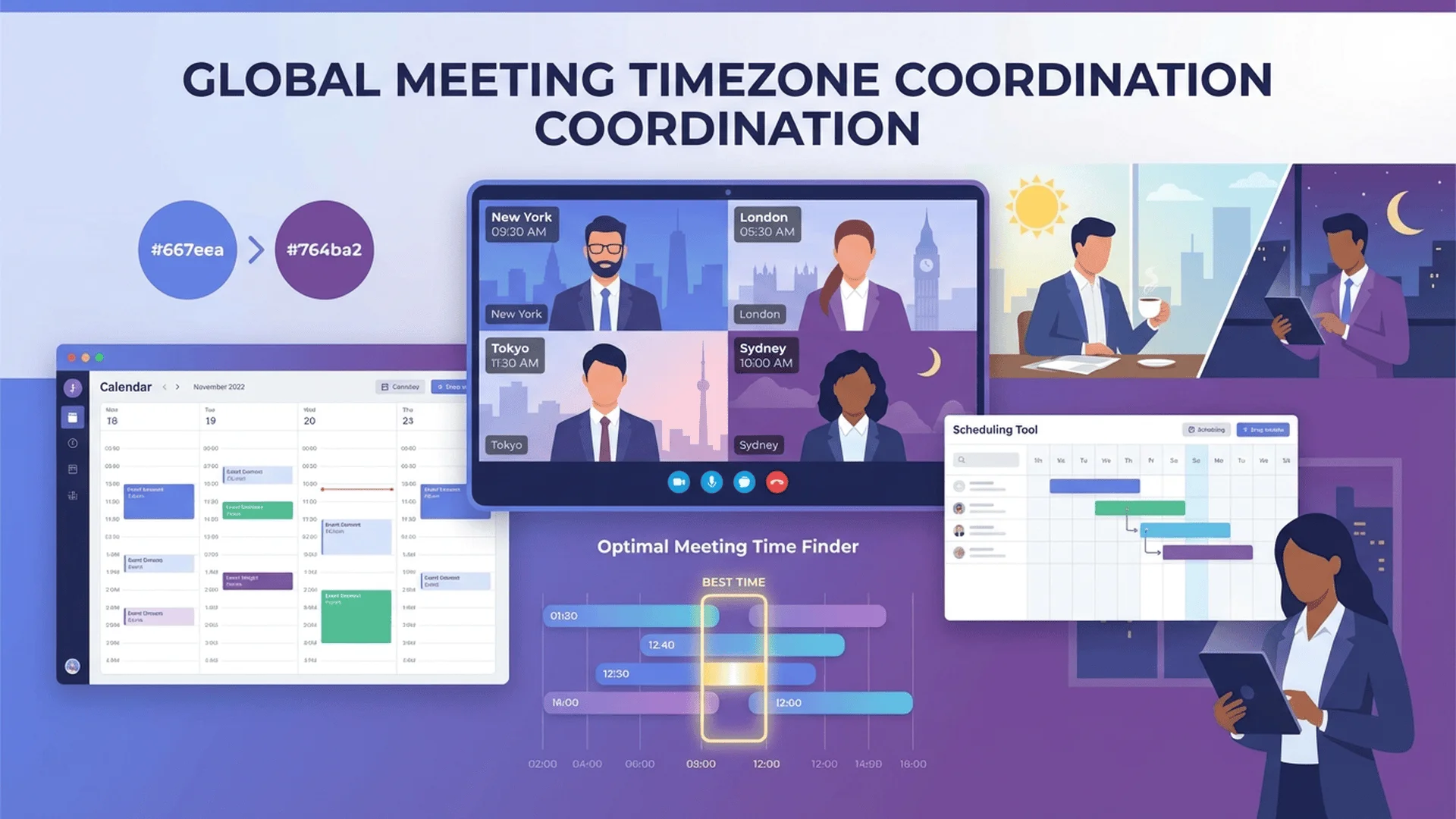
How to Use Our Time Zone Converter Tool
Step-by-Step Tutorial
Using our time zone converter is incredibly simple. Here's how to convert time zones in seconds:
Step 1: Select Your Source Time Zone
Click the first dropdown menu labeled "From Time Zone." You'll see:
- Popular cities: Pre-loaded with major cities worldwide
- Search function: Type any city name or time zone code (e.g., "Singapore" or "UTC+8")
- Current time display: Shows the current local time immediately
Step 2: Choose Your Target Time Zone
Click the second dropdown labeled "To Time Zone." Use the same search or selection method.
Step 3: Enter or View Time
- Method A (Current Time): Leave the time field empty to see the current time conversion
- Method B (Specific Time): Enter a specific time (e.g., "3:00 PM") to see what time that will be in the target zone
- Method C (Date & Time): For future dates, use the date picker to account for DST changes
Step 4: View Instant Results
The tool displays:
- ✅ Converted time in the target zone
- ✅ Time difference (e.g., "+5 hours")
- ✅ Date change indicator (if conversion crosses midnight)
- ✅ DST status for both zones
- ✅ UTC offset for reference
Step 5: Share or Save (Optional)
- Copy link: Share a pre-configured conversion with colleagues
- Add to calendar: One-click calendar event creation with correct time zones
- Bookmark: Save frequently-used conversions for quick access
💻 Interactive Demo: Open the Time Zone Converter in a new window and try it yourself. Select "New York" and "London" to see live conversion.
Key Features That Save Time
1. Automatic Daylight Saving Time Detection
Our tool automatically adjusts for DST transitions:
- ✅ Always shows correct current time (no manual updates needed)
- ✅ Future date conversions account for upcoming DST changes
- ✅ Clear indicators when DST is active
- ✅ Historical dates use accurate past DST rules
Example: Schedule a meeting for July 15, 2025, at 10 AM EST, and the tool correctly converts to EDT (UTC-4), not EST (UTC-5).
2. Multiple Time Zone Comparison
View up to 5 time zones simultaneously:
- Compare meeting times across global teams
- Find overlapping working hours quickly
- Visual timeline shows business hours for each zone
3. World Clock Mode
Switch to world clock view to see:
- Current time in 20+ major cities
- Day/night indicator for each location
- Business hours overlay (color-coded)
4. Meeting Planner Integration
Special feature for teams:
- Input attendees' time zones
- Tool highlights optimal meeting windows
- Suggests times that work for all participants
- Exports to Google Calendar, Outlook, iCal
5. Mobile & Desktop Friendly
- Responsive design: Works perfectly on phones, tablets, desktops
- Offline capability: Last-used time zones cached for offline access
- Fast loading: Optimized to load in under 1 second
- No installation: Works directly in your browser
6. Privacy-First Design
- ✅ 100% local processing: All calculations run in your browser
- ✅ Zero data collection: We don't track, store, or sell your data
- ✅ No account required: Use immediately without sign-up
- ✅ Ad-free experience: Focus on conversion, not distractions
Time Zone Conversion Calculation Methods
Manual Calculation Formula
Understanding the math behind time zone conversion helps troubleshoot errors and verify automated conversions.
Basic Formula:
Target Time = Source Time + (Target UTC Offset - Source UTC Offset)
Example 1: EST to PST
- Source: 3:00 PM EST (UTC-5)
- Target: PST (UTC-8)
- Calculation: 3:00 PM + ((-8) - (-5)) = 3:00 PM + (-3) = 12:00 PM PST
Example 2: IST to GMT
- Source: 9:30 AM IST (UTC+5:30)
- Target: GMT (UTC+0)
- Calculation: 9:30 AM + (0 - 5:30) = 9:30 AM - 5:30 = 4:00 AM GMT
Example 3: Tokyo to New York
- Source: 6:00 PM JST (UTC+9)
- Target: EST (UTC-5)
- Calculation: 6:00 PM + (-5 - 9) = 6:00 PM - 14 hours = 4:00 AM EST
Important: When subtracting crosses midnight, remember to adjust the date.
Quick mental math tricks:
- Round to UTC first: Convert source time to UTC, then to target
- Use landmark cities: Memorize key differences (e.g., NYC to LA is always 3 hours)
- AM/PM flip: If difference is ≥12 hours, opposite period (AM ↔ PM)
UTC Offset Method
This is the most reliable method for digital systems.
Step 1: Convert source time to UTC
UTC Time = Source Time - Source UTC Offset
Step 2: Convert UTC to target time
Target Time = UTC Time + Target UTC Offset
Worked Example: Singapore (UTC+8) to Los Angeles (UTC-8)
Given: 10:00 AM Singapore time, what time is it in LA?
Step 1:
- Singapore time: 10:00 AM (UTC+8)
- UTC time: 10:00 AM - 8 hours = 2:00 AM UTC
Step 2:
- UTC time: 2:00 AM
- LA time (UTC-8): 2:00 AM + (-8) = 2:00 AM - 8 hours = 6:00 PM (previous day)
Answer: 10:00 AM in Singapore = 6:00 PM (previous day) in Los Angeles
Why use this method?
- ✅ Eliminates confusion with positive/negative offsets
- ✅ Works for any time zone combination
- ✅ Easy to verify with online tools
- ✅ Same method used by computer systems
🔬 Technical Documentation: Want to implement time zone conversion in your own code? Check our Time Zone Converter Implementation Guide for:
- Algorithm pseudocode
- JavaScript implementation examples
- DST handling logic
- Edge case management
- Complete code with explanations
Daylight Saving Time Considerations
DST adds complexity to conversions. Here's how to handle it correctly:
Rule 1: Know Which Zones Observe DST
Do observe DST:
- USA, Canada (most regions)
- Europe (most countries)
- Australia, New Zealand
- Parts of South America
Do NOT observe DST:
- China, Japan, India
- Most of Africa
- Most of Middle East
- Singapore, Hong Kong
- Arizona (USA exception)
- Hawaii (USA exception)
Rule 2: Check DST Dates
DST start/end dates vary by region:
| Region | 2025 Start | 2025 End |
|---|---|---|
| USA & Canada | March 9 (2:00 AM) | November 2 (2:00 AM) |
| Europe | March 30 (2:00 AM) | October 26 (3:00 AM) |
| Australia | October 5 (2:00 AM) | April 5, 2026 (3:00 AM) |
Rule 3: UTC Offset Changes
During DST, the UTC offset changes:
| Time Zone | Standard | Daylight | Change |
|---|---|---|---|
| EST | UTC-5 | EDT: UTC-4 | +1 hour |
| PST | UTC-8 | PDT: UTC-7 | +1 hour |
| CET | UTC+1 | CEST: UTC+2 | +1 hour |
| GMT | UTC+0 | BST: UTC+1 | +1 hour |
| AEST | UTC+10 | AEDT: UTC+11 | +1 hour |
Common DST Mistakes:
❌ Mistake 1: Assuming all zones change DST on the same date
- Fix: Always verify DST dates for both source and target zones
❌ Mistake 2: Forgetting to account for the "spring forward, fall back" direction
- Fix: In spring, clocks move forward (+1 hour); in fall, clocks move back (-1 hour)
❌ Mistake 3: Using standard time abbreviations during DST
- Fix: Use "EDT" not "EST" during summer in Eastern USA
❌ Mistake 4: Not adjusting scheduled meetings when DST changes
- Fix: Use calendar systems that auto-adjust for DST (Google Calendar, Outlook)
Pro Strategy: Always Use UTC for Scheduling
When scheduling international meetings:
1. Convert all times to UTC
2. Communicate in UTC (e.g., "The meeting is at 14:00 UTC")
3. Let attendees convert to their local time
4. This eliminates DST confusion completely
Common Time Zone Conversion Scenarios
International Business Meetings
Challenge: Coordinating meetings across continents where "business hours" rarely overlap.
Best Times for Common Routes:
USA (EST) ↔ Europe (CET):
- Best window: 2:00 PM - 5:00 PM CET (8:00 AM - 11:00 AM EST)
- Why: Afternoon in Europe, morning in USA
- Compromise: Both regions are during working hours
USA (PST) ↔ Asia (JST/IST):
- Best window: 5:00 PM - 8:00 PM PST (9:00 AM - 12:00 PM JST next day)
- Why: Evening in USA, morning in Asia
- Alternative: Early morning PST (6:00 AM - 9:00 AM) = afternoon in Asia
Europe (CET) ↔ Asia (IST):
- Best window: 2:00 PM - 5:00 PM CET (6:30 PM - 9:30 PM IST)
- Why: Afternoon in Europe, evening in India (reasonable for both)
USA (EST) ↔ Australia (AEST):
- Challenge: 15-hour difference, opposite business hours
- Best window: 6:00 PM - 8:00 PM EST (9:00 AM - 11:00 AM AEST next day)
- Why: Early morning in Australia, evening in USA
UK/Europe ↔ Australia:
- Best window: 8:00 AM - 10:00 AM CET (6:00 PM - 8:00 PM AEST)
- Why: Early morning in Europe, evening in Australia
Pro Meeting Planning Tips:
- Rotate inconvenience fairly: Don't always schedule at times convenient for headquarters
- Use "follows the sun" scheduling: Different meeting times each week to share the burden
- Record meetings: Essential for those who can't attend live
- Share agenda beforehand: Asynchronous review saves meeting time
- Use meeting planner tools: Automate finding optimal windows
🎯 Meeting Planner Tool: Struggling to find a time that works for everyone? Use our Meeting Planner Time Zone Converter to:
- Input all attendees' time zones
- Instantly see overlapping business hours
- Get optimal meeting time suggestions
- Export to calendar with automatic time zone adjustments
💼 World Clock Tool: Keep track of your team's local times with our World Clock - shows real-time clocks for up to 10 cities simultaneously.
Remote Team Collaboration
The Challenge of Async Work:
Modern remote teams operate in two modes:
1. Synchronous: Real-time collaboration (meetings, calls)
2. Asynchronous: Self-paced work (email, documents, recorded videos)
Time Zone Strategy by Team Size:
Small Team (2-5 people, ≤8-hour spread):
- Strategy: Find 2-3 hour daily overlap window
- Tools: Shared calendar with "team hours" blocked
- Example: USA East + West coasts (3-hour difference)
- Team hours: 12:00 PM - 3:00 PM PST (3:00 PM - 6:00 PM EST)
Medium Team (6-15 people, 8-15 hour spread):
- Strategy: Overlap for critical meetings only, embrace async for most work
- Tools: Project management with clear handoffs, recorded stand-ups
- Example: USA + Europe (6-9 hour difference)
- Sync meetings: 1-2 times per week during 8:00 AM EST (2:00 PM CET)
- Daily updates: Written in Slack/Teams
Large Team (15+ people, global 24-hour coverage):
- Strategy: "Follow the sun" workflow, regional sub-teams
- Tools: Comprehensive documentation, robust ticketing system
- Example: USA + Europe + Asia
- Regional team meetings: Each region independently
- Global all-hands: Quarterly, recorded, with timezone-staggered live sessions
Communication Best Practices:
✅ Do:
- Include time zone in all time references ("3 PM EST" not "3 PM")
- Use UTC for multinational teams ("14:00 UTC")
- Set calendar time zone to recipient's zone when scheduling
- Use "am/pm" explicitly (avoid 24-hour time unless team prefers it)
- Record all important meetings with transcripts
❌ Don't:
- Say "tomorrow" or "yesterday" (might be different for teammates)
- Schedule urgent meetings with <24 hours notice across zones
- Assume everyone checks messages immediately
- Use region-specific idioms ("COB" = close of business—whose business hours?)
Gaming communities and Discord users: Check our specialized Discord Time Zone Converter Guide for coordinating gaming sessions, raid schedules, and community events across international Discord servers.
Travel Planning
Jet Lag & Time Zone Changes:
When traveling across time zones, understanding conversion helps you:
- Plan arrival times strategically
- Schedule important meetings appropriately
- Minimize jet lag effects
Jet Lag Rules of Thumb:
- Eastward travel (e.g., New York → London): Harder to adjust, lose hours
- Body feels like it's earlier than actual time
-
Tip: Gradually shift sleep schedule earlier before departure
-
Westward travel (e.g., London → New York): Easier to adjust, gain hours
- Body feels like it's later than actual time
-
Tip: Stay awake until local bedtime, even if tired
-
Adjustment rate: ~1 hour per day of adaptation
- 6-hour difference = 6 days to fully adjust
- Short trips (<5 days): Some travelers stay on home time zone
Strategic Arrival Planning:
For Business Trips:
- ✅ Arrive 1-2 days before critical meetings
- ✅ Schedule important meetings during your body's "peak hours"
- ✅ Book flights that land in early evening local time (easier to sleep)
For Vacation:
- ✅ Arrive in morning local time (stay awake all day to reset)
- ✅ Immediately adopt local meal times
- ✅ Get sunlight exposure to reset circadian rhythm
Flight Time Calculation:
Don't forget to account for time zone changes in flight duration:
Example: Flight from Los Angeles (PST) to Tokyo (JST)
- Departure: 11:00 AM PST Friday
- Flight duration: 11 hours
- Arrival: 2:00 PM JST Saturday (not 10:00 PM Friday!)
- Calculation: 11:00 AM + 11 hours = 10:00 PM PST Friday = 2:00 PM JST Saturday
Pro traveler tip: Use time zone converters to plan:
- When to sleep on the plane
- When to avoid scheduling calls with home office
- Optimal time for crossing international dateline
Stock Market Trading
Critical for Day Traders & Forex Traders:
Financial markets operate on strict time schedules, and missing a market open by even minutes can cost thousands.
Major Stock Exchanges Operating Hours (Local Time):
| Exchange | Location | Local Hours | UTC Hours |
|---|---|---|---|
| NYSE | New York | 9:30 AM - 4:00 PM EST/EDT | 14:30 - 21:00 UTC (winter) 13:30 - 20:00 UTC (summer) |
| NASDAQ | New York | 9:30 AM - 4:00 PM EST/EDT | Same as NYSE |
| LSE | London | 8:00 AM - 4:30 PM GMT/BST | 8:00 - 16:30 UTC (winter) 7:00 - 15:30 UTC (summer) |
| TSE | Tokyo | 9:00 AM - 3:00 PM JST | 0:00 - 6:00 UTC |
| SSE | Shanghai | 9:30 AM - 3:00 PM CST | 1:30 - 7:00 UTC |
| ASX | Sydney | 10:00 AM - 4:00 PM AEST/AEDT | 0:00 - 6:00 UTC (winter) 23:00 - 5:00 UTC (summer) |
Market Overlap Opportunities:
London + New York Overlap:
- Time: 1:30 PM - 4:00 PM GMT (8:30 AM - 11:00 AM EST)
- Duration: 2.5 hours
- Significance: Highest liquidity period globally, major forex volume
Tokyo + London Brief Overlap:
- Time: 8:00 AM - 9:00 AM GMT (5:00 PM JST)
- Duration: 1 hour
- Significance: Important for GBP/JPY and EUR/JPY pairs
Sydney + Tokyo Overlap:
- Time: 10:00 AM - 12:00 PM AEST (9:00 AM - 11:00 AM JST)
- Duration: 2 hours
- Significance: Asia-Pacific trading activity peak
Forex Trading Sessions:
The forex market operates 24/5 (24 hours, 5 days/week):
- Sydney Session: 10:00 PM - 7:00 AM UTC (Sunday - Friday)
- Tokyo Session: 12:00 AM - 9:00 AM UTC
- London Session: 8:00 AM - 5:00 PM UTC
- New York Session: 1:00 PM - 10:00 PM UTC
Best Times to Trade Forex:
- Highest volatility: London-New York overlap (1:00 PM - 5:00 PM UTC)
- Lowest volatility: Sydney-only session (best for beginners)
Daylight Saving Time Impact:
⚠️ Critical Alert: When USA or UK changes DST, market hours shift by 1 hour in UTC terms.
Example:
- NYSE winter hours: 14:30 - 21:00 UTC
- NYSE summer hours: 13:30 - 20:00 UTC (DST active, EDT not EST)
For international traders, always convert to UTC first to avoid mistakes.
Want specialized forex trading time conversion? Check our Forex Trading Time Zone Guide for:
- Real-time session status indicators
- Volatility calendars
- Economic news event timings
- Best trading hours by currency pair
🎯 Recommended Tools for Global Coordination
Working across time zones? These Tool Master tools can significantly boost your efficiency:
| Tool | Purpose | Key Features |
|---|---|---|
| Time Zone Converter | Instant time conversion | Real-time conversion, DST auto-adjust, 200+ cities |
| World Clock | Monitor multiple zones | Track up to 10 time zones, business hours overlay |
| Date Calculator | Calculate future dates | Schedule meetings weeks ahead with DST consideration |
💡 Pro Tip: All Tool Master tools are completely free and process data locally in your browser—no registration, no tracking, maximum privacy.
Best Practices for Time Zone Management
Communication Tips for Global Teams
1. Always Include Time Zone References
❌ Bad: "Let's meet at 3 PM tomorrow"
✅ Good: "Let's meet tomorrow at 3:00 PM EST (8:00 PM GMT, 8:00 PM UTC)"
Format standards:
- Use 12-hour format with AM/PM (more universally understood)
- Include time zone abbreviation (EST, GMT, JST)
- Optionally add UTC for absolute clarity
- State the date explicitly (avoid "tomorrow" for async communication)
2. Set Clear "Available Hours" in Shared Calendars
Google Calendar / Outlook Strategy:
- Set your "working hours" in calendar settings
- Enable "time zone display" in calendar views
- Use "find a time" feature which respects time zones
- Color-code personal vs. work vs. team events
Example Working Hours Statement:
Working Hours:
- Monday-Friday: 9:00 AM - 6:00 PM EST (UTC-5)
- Available for urgent calls: 7:00 AM - 8:00 PM EST
- Do Not Disturb: 10:00 PM - 7:00 AM EST
3. Use Consistent Meeting Scheduling Language
Recommended phrases:
- "Proposed time: [Date] at [Time] [Zone] (please confirm in your local time)"
- "This meeting will occur at: [UTC Time] (convert to your zone)"
- "Recurring weekly: Tuesdays at 14:00 UTC"
4. Respect Boundaries
✅ Do:
- Avoid scheduling meetings outside 8 AM - 7 PM local time (unless agreed)
- Rotate inconvenient meeting times fairly
- Give 24-48 hours notice when possible
- Offer recordings for those who can't attend live
❌ Don't:
- Expect immediate responses outside business hours
- Schedule back-to-back meetings across huge time differences
- Always favor headquarters time zone
- Forget about local holidays and weekends (vary by country)
5. Master Async Communication
When time zones make sync difficult:
- Use Loom or video messages (asynchronous "face time")
- Write detailed meeting notes (don't require attendance)
- Use threaded discussions (Slack, Teams, Notion comments)
- Set clear expectations for response times
Looking for advanced meeting coordination strategies? Read our Meeting Planner Time Zone Converter Guide with real-world scheduling templates.
Calendar Management Strategies
Multi-Time Zone Calendar Setup:
Strategy 1: Primary + Secondary Time Zone Display
Google Calendar:
1. Settings → General → Time Zone
2. Enable "Display secondary time zone"
3. Set primary = your location, secondary = team's primary location
4. Result: Every event shows in both time zones
Outlook Calendar:
1. File → Options → Calendar
2. Time Zones → Show a second time zone
3. Label appropriately (e.g., "My Time (EST)" and "HQ Time (CET)")
Strategy 2: Color-Coding by Region
Assign colors to events based on primary participant location:
- 🔵 Blue: Local time zone events
- 🟢 Green: European team events
- 🟡 Yellow: Asian team events
- 🔴 Red: Urgent/all-hands global events
Strategy 3: "Buffer Time" for Time Zone Confusion
Always schedule:
- 15-minute buffer before important cross-timezone meetings
- "Soft start" for global all-hands (first 5 minutes = join/small talk)
- Backup meeting slots in case of confusion
Calendar Invite Best Practices:
Essential information to include:
Meeting: Weekly Team Sync
Date: Tuesday, February 4, 2025
Time: 10:00 AM EST / 3:00 PM GMT / 4:00 PM CET
Duration: 60 minutes
Time Zone: Eastern Standard Time (UTC-5)
[Time Zone Converter Link](https://tool-master.cc/tools/time-zone-converter)

Location: Zoom (link below)

Agenda:
1. Project updates (20 min)
2. Blockers (15 min)
3. Next week planning (15 min)
4. Q&A (10 min)

Note: Meeting will be recorded for those unable to attend.
Recurring Meeting Management:
⚠️ DST Warning: Recurring meetings can break when DST changes.
Solution:
- Schedule in UTC (never changes)
- Or manually verify meetings around DST transition dates
- Use calendar systems that auto-adjust (Google Calendar, Outlook 365)
DST Transition Checklist:
- [ ] 1 week before: Send reminder about time change
- [ ] 3 days before: Confirm all attendees aware of new meeting time
- [ ] Day after: Verify meeting occurred at correct time for all
- [ ] Update any manual reminders/notifications
Avoiding Scheduling Mistakes
Top 10 Time Zone Mistakes & How to Avoid Them:
1. Mistake: Assuming everyone uses 12-hour or 24-hour format
- Fix: Always specify AM/PM if using 12-hour format
- Example: Write "3:00 PM EST" not "15:00 EST" or "3:00 EST"
2. Mistake: Forgetting about DST
- Fix: Use tools that auto-adjust, or always check DST status
- Critical dates: March and November for USA/Canada, March and October for Europe
3. Mistake: Using ambiguous abbreviations
- Problem: "CST" could mean Central Standard Time (USA) or China Standard Time
- Fix: Write "US Central Time" or include UTC offset
4. Mistake: Not adjusting for date change
- Fix: Always include full date, especially for Asia-US communications
- Example: "Thursday, Feb 6, 2025, 9:00 AM JST (Wednesday, Feb 5, 7:00 PM EST)"
5. Mistake: Relying on mental math
- Fix: Always use a converter for unfamiliar time zones
- Tool: Time Zone Converter
6. Mistake: Ignoring local holidays
- Fix: Use international holiday calendars
- Example: Chinese New Year, Diwali, Ramadan affect availability
7. Mistake: Scheduling meetings too close to midnight
- Fix: Avoid 11 PM - 1 AM local time in any participant's zone
- Why: Confusion about which date (crosses midnight)
8. Mistake: Assuming workweek is Monday-Friday everywhere
- Fix: Remember some regions have different weekends
- Examples: Middle East (Friday-Saturday weekend), Israel (Friday-Saturday)
9. Mistake: Not testing calendar invites
- Fix: Send invite to yourself first, check it displays correctly in all time zones
- Verify: Time, date, and duration all correct
10. Mistake: Overcomplicating simple communication
- Fix: When in doubt, use UTC or ask recipient to confirm their local time
- Script: "I'll send calendar invite for 14:00 UTC—please confirm that works for you"
Advanced Features and Tips
Batch Conversion Techniques
Scenario: You need to convert multiple times for various time zones simultaneously.
Method 1: Spreadsheet Formula
Excel/Google Sheets formula for time zone conversion:
=A2 + (B2-C2)/24
Where:
- A2 = source time (formatted as time)
- B2 = target UTC offset (e.g., -5 for EST)
- C2 = source UTC offset (e.g., 0 for UTC)
Example setup:
| Source Time | Source Zone | Source UTC Offset | Target Zone | Target UTC Offset | Converted Time |
|---|---|---|---|---|---|
| 9:00 AM | UTC | 0 | EST | -5 | 4:00 AM |
| 9:00 AM | UTC | 0 | JST | 9 | 6:00 PM |
| 9:00 AM | UTC | 0 | IST | 5.5 | 2:30 PM |
Method 2: World Clock Dashboard
Create a personal dashboard with:
- Your local time (primary)
- 3-5 key locations your team operates from
- Visual indicators for business hours (green = working hours, gray = off-hours)
Tool recommendation: Our World Clock displays up to 10 time zones with business hours overlay.
Need to convert times in Excel or Google Sheets? Our Excel Time Zone Formulas Guide provides ready-to-use formulas, step-by-step tutorials, and advanced techniques for batch time zone conversions in spreadsheets.
Historical Time Zone Lookup
Why you might need historical conversions:
- Legal compliance: Verify timestamp accuracy for contracts, transactions
- Data analysis: Analyze historical patterns across time zones
- Dispute resolution: Confirm meeting times from past calendar invites
Important considerations:
- DST changes over time: Rules weren't always the same
- USA extended DST in 2007 (Energy Policy Act of 2005)
- Russia abolished DST in 2014
-
Turkey permanently moved to UTC+3 in 2016
-
Time zone boundary changes:
- Countries occasionally change time zones entirely
-
Example: Samoa skipped December 30, 2011 (moved across dateline)
-
Historical accuracy limitations:
- Most converters only guarantee accuracy back to ~2000
- For older dates, consult specialized databases
Resources for historical lookup:
- IANA Time Zone Database (tzdata)
- timeanddate.com historical calculator
- Wikipedia: Time zone history by country
Saving Favorite Time Zones
Efficiency hack: Save frequently-used conversions.
In our Time Zone Converter tool:
- Bookmark specific conversions:
- After setting up a conversion, click "Copy Link"
- Bookmark the URL (it saves your selected time zones)
-
Example:
tool-master.cc/tools/time-zone-converter?from=New_York&to=Tokyo -
Browser shortcuts:
- Create browser bookmarks with descriptive names
- "NYC ↔ Tokyo converter"
-
"Team meeting time (EST→CET→JST)"
-
Set default time zones:
- Tool remembers your last-used time zones
- Automatically loads on next visit
Desktop/Mobile shortcuts:
macOS:
- Add multiple clocks to menu bar (System Preferences → Date & Time → Clock)
Windows:
- Add additional clocks in taskbar (Settings → Time & Language → Add clocks)
Mobile (iOS/Android):
- World Clock app built-in
- Add cities in Clock app
- Use widgets on home screen for instant access
💻 Explore all advanced features: Try the Time Zone Converter now and discover smart defaults, URL sharing, and more.
Time Zone Converter Tools Comparison
What Makes a Good Time Zone Converter?
Before comparing specific tools, let's establish evaluation criteria:
Essential Features:
- ✅ Accurate current time display
- ✅ Automatic DST adjustment
- ✅ Support for 200+ cities/time zones
- ✅ Mobile-responsive design
- ✅ Fast loading speed (<2 seconds)
Advanced Features:
- ✅ Multiple time zone comparison
- ✅ Meeting planner functionality
- ✅ Historical date conversion
- ✅ Shareable conversion links
- ✅ Calendar integration
User Experience:
- ✅ Intuitive interface (no tutorial needed)
- ✅ Clear UTC offset display
- ✅ Date change indication
- ✅ Minimal ads or ad-free
- ✅ No forced account creation
Privacy & Performance:
- ✅ Local processing (data stays in browser)
- ✅ No unnecessary tracking
- ✅ Works offline (cached)
- ✅ Free with no paywalls
Online Tools vs Offline Tools
Online Time Zone Converters:
Advantages:
- ✅ No installation required
- ✅ Always up-to-date (DST rules, time zone changes)
- ✅ Works on any device with browser
- ✅ Can share links to specific conversions
- ✅ Often free
Disadvantages:
- ❌ Requires internet connection (usually)
- ❌ May have ads
- ❌ Privacy concerns if data is uploaded
Offline Tools (Desktop/Mobile Apps):
Advantages:
- ✅ Works without internet
- ✅ Often faster (native apps)
- ✅ Can have more advanced features (widgets, notifications)
- ✅ Integration with device (menu bar, lock screen)
Disadvantages:
- ❌ Requires installation and updates
- ❌ Often costs money
- ❌ Limited to specific platform (iOS, Android, macOS, Windows)
- ❌ Updates delayed (DST rule changes may not be immediate)
Our recommendation: Use online tools for most needs, especially for privacy. Our Time Zone Converter combines the best of both:
- Works offline (once loaded)
- Always up-to-date (loads latest data)
- 100% local processing (no data uploaded)
- Free and ad-free
- No installation needed
Tool Master Time Zone Converter Advantages
Why our tool stands out:
1. 100% Local Processing
- All calculations run in your browser
- Your data never leaves your device
- No servers to store or leak your information
- Works offline after first load
2. Completely Free
- No account required
- No "premium" upsells
- No feature paywalls
- All features available to everyone
3. Privacy-First Design
- Zero tracking or analytics
- No cookies
- No data collection
- Open source approach (view our technical documentation)
4. Blazing Fast
- Loads in under 1 second
- Instant calculations
- No ads to slow down experience
- Optimized for mobile
5. Comprehensive Features
- 200+ cities and time zones
- Automatic DST handling
- Future date conversions
- Multiple time zone comparison
- Meeting planner mode
- Shareable conversion links
6. Professional Accuracy
- Uses official IANA time zone database
- Updated regularly for rule changes
- Accounts for all DST transitions
- Historical accuracy to 2000
7. Dual Language Support
- English interface
- Traditional Chinese (繁體中文) interface
- Instant language switching
- Localized city names
Real user benefits:
| Traditional Tools | Tool Master Converter |
|---|---|
| Cluttered with ads | Clean, ad-free interface |
| Requires account | No sign-up needed |
| Uploads your data | 100% local processing |
| Limited free features | All features free forever |
| Slow, bloated pages | Loads in <1 second |
| Privacy concerns | Zero tracking guarantee |
Want to explore top alternatives? Read our Top 10 Online Time Zone Converters Compared for an honest, objective analysis of all major tools.
Frequently Asked Questions (FAQ)
1. What is the difference between UTC and GMT?
Short answer: For practical purposes, UTC and GMT are identical.
Detailed answer:
- GMT (Greenwich Mean Time) is the historical term based on mean solar time at the Royal Observatory in Greenwich, London
- UTC (Coordinated Universal Time) is the modern standard based on atomic clocks
Key differences:
- UTC is scientifically defined (atomic clocks)
- GMT is based on Earth's rotation (less precise)
- UTC includes leap seconds to account for Earth's slowing rotation
- GMT is no longer used in scientific contexts but remains in common use
In practice: Digital systems use UTC. GMT is still used colloquially, especially in the UK.
2. How do I convert EST to PST?
Quick method: PST is 3 hours behind EST.
Formula: PST Time = EST Time - 3 hours
Examples:
- 12:00 PM (noon) EST = 9:00 AM PST
- 3:00 PM EST = 12:00 PM (noon) PST
- 6:00 PM EST = 3:00 PM PST
Important: During Daylight Saving Time:
- EST becomes EDT (UTC-4)
- PST becomes PDT (UTC-7)
- The 3-hour difference remains the same
Tool method: Use our Time Zone Converter for instant, accurate conversion including DST adjustments.
3. Does the tool automatically handle Daylight Saving Time?
Yes, completely automatically.
Our converter:
- ✅ Detects current DST status for all time zones
- ✅ Adjusts conversions in real-time
- ✅ Accounts for future DST changes (for scheduling ahead)
- ✅ Uses official DST transition dates by region
- ✅ Shows whether DST is currently active
Example:
- In January: Converts "New York" as EST (UTC-5)
- In July: Converts "New York" as EDT (UTC-4)
- You don't need to select EST vs EDT manually—tool handles it automatically based on current date
4. Can I convert multiple time zones at once?
Yes! Use our multi-zone comparison feature:
How to use:
1. Open the Time Zone Converter
2. Click "Add time zone" button
3. Add up to 5 time zones simultaneously
4. View all conversions in a single table
Result: See a single time converted to multiple zones instantly.
Example output:
| Location | Local Time | UTC Offset |
|---|---|---|
| New York | 9:00 AM EST | UTC-5 |
| London | 2:00 PM GMT | UTC+0 |
| Dubai | 6:00 PM GST | UTC+4 |
| Mumbai | 7:30 PM IST | UTC+5:30 |
| Tokyo | 11:00 PM JST | UTC+9 |
Perfect for scheduling global meetings!
5. Is the time zone converter free to use?
Yes, 100% free forever.
What you get for free:
- All time zones (200+ cities)
- Unlimited conversions
- All features (meeting planner, multi-zone, etc.)
- No ads
- No account required
- No "premium" upsell
Why free?
- We're an educational tool platform
- Supported by optional site-wide advertising (not intrusive)
- Mission: Make useful tools accessible to everyone
6. How accurate is the time zone conversion?
Extremely accurate—accurate to the second.
Our data sources:
- IANA Time Zone Database: Official standard used by all major systems
- DST Rules: Updated regularly from government sources
- Atomic Time: Synced with official UTC sources
Accuracy guarantee:
- Current time: ±1 second (depends on your device clock)
- Time zone rules: 100% accurate per official standards
- DST transitions: Correct to the minute
We update our database:
- Automatically when time zone rules change
- Before every DST transition
- When countries announce new time zone policies
7. Can I use the tool on my mobile phone?
Yes, fully optimized for mobile.
Mobile features:
- ✅ Responsive design (adapts to screen size)
- ✅ Touch-friendly interface (large tap targets)
- ✅ Fast loading on mobile data (<100KB)
- ✅ Works on all mobile browsers (Chrome, Safari, Firefox, etc.)
- ✅ Can add to home screen (works like an app)
- ✅ Offline capability after first load
How to add to home screen:
iOS (iPhone/iPad):
1. Open tool in Safari
2. Tap share icon
3. Select "Add to Home Screen"
4. Icon appears on home screen
Android:
1. Open tool in Chrome
2. Tap menu (three dots)
3. Select "Add to Home screen"
4. Icon appears with your apps
Result: One-tap access like a native app, no App Store needed!
8. What is the best time zone converter for international teams?
For most teams, we recommend web-based converters for these reasons:
Why web-based wins:
- ✅ No installation needed (IT-friendly)
- ✅ Works on all devices (desktop, mobile, tablet)
- ✅ Always up-to-date (automatic)
- ✅ Shareable links (send conversion to teammates)
- ✅ No compatibility issues
Top picks by use case:
For quick conversions:
- Tool Master Time Zone Converter - Fast, free, private
For meeting scheduling:
- Tool Master Time Zone Converter (meeting planner mode)
- World Time Buddy (alternative)
For calendar integration:
- Google Calendar (built-in, auto-adjusts)
- Outlook Calendar (robust time zone support)
For developers:
- Our technical documentation for building custom solutions
Our tool's team-friendly features:
- Shareable conversion links
- Multiple time zone comparison
- Meeting overlap finder
- No account needed (frictionless for team members)
Looking for mobile apps? Check our Best Time Zone Converter Apps 2025 guide for comprehensive reviews of top iOS and Android apps, desktop software, and browser extensions.
9. How do I calculate time zone differences manually?
Step-by-step manual calculation:
Step 1: Find UTC offsets
Look up the UTC offset for each time zone:
- EST: UTC-5
- PST: UTC-8
- GMT: UTC+0
- JST: UTC+9
Step 2: Calculate difference
Time Difference = Target UTC Offset - Source UTC Offset
Examples:
EST to PST:
- Calculation: (-8) - (-5) = -3
- Result: PST is 3 hours behind EST
GMT to JST:
- Calculation: (+9) - (0) = +9
- Result: JST is 9 hours ahead of GMT
JST to EST:
- Calculation: (-5) - (+9) = -14
- Result: EST is 14 hours behind JST
Step 3: Convert the time
Target Time = Source Time + Time Difference
Example: 3:00 PM EST to PST:
- 3:00 PM + (-3 hours) = 12:00 PM PST
Step 4: Adjust for date changes
If calculation results in time <0 or ≥24:
- Add/subtract 24 hours
- Adjust date accordingly
Pro tip: For reliable results, always use a converter tool like ours to avoid manual errors—especially for DST periods!
10. Does the tool work offline?
Yes, with limitations.
What works offline:
- Time zone conversions (once tool is loaded)
- All calculation features
- Time zone database (cached)
- Interface functionality
What requires internet:
- First-time loading (must download tool once)
- Getting current server time (tool uses your device time offline)
- Checking for database updates
How to use offline:
- Visit tool while online at least once
- Browser caches the tool automatically
- Next visits work offline (even without internet)
- Your device clock provides time reference
Offline accuracy:
- Depends on your device clock accuracy
- Time zone calculations are 100% accurate (database is local)
- Won't have very latest updates (e.g., if a country changes time zone rules while you're offline)
Best practice: Load the tool once per month while online to ensure latest time zone rules.
11. Can I embed the time zone converter on my website?
Not directly, but there are alternatives:
Option 1: Link to our tool
<a href="https://tool-master.cc/tools/time-zone-converter">
  Free Time Zone Converter
</a>
Option 2: Link with pre-configured conversion
<a href="https://tool-master.cc/tools/time-zone-converter?from=New_York&to=London">
  Check NYC to London time
</a>
Option 3: Build your own using our approach
- View our technical implementation guide
- Open source algorithms explained
- Use IANA tzdata library (same as we use)
- JavaScript code examples provided
Why no iframe embedding?
- Security: Prevents clickjacking and XSS attacks
- Privacy: Protects user data
- Performance: Embedded iframes slow down page load
For developers: Our implementation documentation provides complete guidance for building your own converter with similar features.
12. How do I convert IST to EST?
Quick answer: EST is 10.5 hours behind IST (during standard time).
Conversion:
- IST (UTC+5:30) to EST (UTC-5)
- Time difference: -10 hours 30 minutes
Examples:
- 9:00 AM IST = 10:30 PM EST (previous day)
- 12:00 PM (noon) IST = 1:30 AM EST (same day)
- 5:00 PM IST = 6:30 AM EST (same day)
- 10:00 PM IST = 11:30 AM EST (same day)
During EDT (summer in USA):
- Time difference: -9 hours 30 minutes
- 9:00 AM IST = 11:30 PM EDT (previous day)
Important note: IST does not observe DST, but EST/EDT does. Always verify whether EDT (summer) or EST (winter) is active in the US.
Instant conversion: Use our Time Zone Converter for real-time IST to EST/EDT conversion with automatic DST detection.
13. What time zones does the converter support?
All major time zones worldwide—200+ cities and zones.
Coverage includes:
Americas:
- USA: EST, CST, MST, PST, Alaska, Hawaii
- Canada: All provinces
- South America: Brazil, Argentina, Chile, etc.
Europe:
- Western: UK (GMT/BST), Portugal
- Central: France, Germany, Spain, Italy, Poland
- Eastern: Greece, Finland, Romania
Asia:
- Middle East: Dubai, Saudi Arabia, Israel
- South Asia: India (IST), Pakistan, Bangladesh
- Southeast Asia: Singapore, Thailand, Vietnam, Indonesia
- East Asia: China (CST), Japan (JST), Korea
Oceania:
- Australia: AEST, ACST, AWST
- New Zealand: NZST
- Pacific Islands
Africa:
- Major cities: Cairo, Lagos, Johannesburg, Nairobi
Special zones:
- UTC (universal reference)
- Military time zones
- Half-hour offsets (IST, NST, etc.)
- 45-minute offsets (Nepal)
Search flexibility:
- Search by city name (e.g., "Tokyo")
- Search by country (e.g., "Japan")
- Search by time zone code (e.g., "JST" or "UTC+9")
- Search by UTC offset (e.g., "+5:30")
Total: 200+ pre-configured locations + ability to enter any UTC offset manually.
14. How often is the time zone data updated?
Continuously updated, automatically.
Update frequency:
Real-time updates:
- Current time: Every second (from your device)
- DST status: Checked on every conversion
- Tool interface: Cached for speed, refreshed daily
Database updates:
- Monthly: Regular maintenance updates
- As needed: When countries announce time zone changes
- Before DST: Verified 2 weeks before each DST transition
Recent time zone changes we've handled:
- Russia DST abolition (2014)
- Turkey permanent DST (2016)
- North Korea zone change (2018)
- Brazil DST cancellation (2019)
- Various DST rule updates (ongoing)
Our data source:
- IANA Time Zone Database (official standard)
- Same database used by: Linux, macOS, Java, Python, JavaScript
- Maintained by international volunteers and experts
You don't need to do anything:
- Updates happen automatically
- No app updates needed
- No manual downloads
- Always accurate when you visit
15. Can I schedule meetings across time zones using this tool?
Yes! Use our meeting planner feature.
How to use:
Step 1: Open meeting planner mode
1. Go to Time Zone Converter
2. Click "Meeting Planner" tab
3. Add all attendees' time zones
Step 2: Find overlapping hours
- Tool displays visual timeline
- Green zones = business hours for all
- Yellow zones = early/late for some
- Red zones = night for someone
Step 3: Select optimal time
- Click suggested time slot
- Tool converts to all attendees' local times
- Shows exact time for each participant
Step 4: Export to calendar
- Click "Create Calendar Event"
- Choose: Google Calendar, Outlook, or iCal download
- Event automatically includes correct time zones
Example output:
Proposed Meeting Time:
- New York: 9:00 AM EST (comfortable)
- London: 2:00 PM GMT (comfortable)
- Mumbai: 7:30 PM IST (late, acceptable)
- Sydney: 1:00 AM AEDT (not recommended)

Better alternative:
- New York: 6:00 PM EST (late, acceptable)
- London: 11:00 PM GMT (very late, not ideal)
- Mumbai: 4:30 AM IST+1 (early next day, not ideal)
- Sydney: 10:00 AM AEDT (comfortable)
Meeting planner tips:
- Rotate inconvenient times fairly
- Use async communication when time zones don't overlap well
- Record meetings for those who can't attend live
For advanced meeting scheduling strategies, read our Meeting Planner Time Zone Converter Guide.
Explore More Time Zone Tools
Looking for additional features? Tool Master provides specialized time tools:
World Clock - Track multiple time zones simultaneously with business hours overlay
Date Calculator - Calculate future dates accounting for time zones and DST changes
Meeting Planner - Advanced scheduling tool for global teams
Conclusion: Master Time Zones, Master Global Collaboration
Key Takeaways
Time zone mastery is essential in our interconnected world:
✅ Understand the basics: UTC is the universal reference, all zones offset from it
✅ Account for DST: Rules vary by region and change dates
✅ Use reliable tools: Automate conversions to avoid costly mistakes
✅ Communicate clearly: Always include time zone in scheduling
✅ Respect boundaries: Be mindful of others' working hours
Your Next Steps
If you frequently work across time zones, we recommend:
- Bookmark our Time Zone Converter for instant access to accurate conversions
- Read our IST Time Zone Conversion Guide if you work with Indian teams (highest search volume, practical India-US collaboration tips)
- Explore Meeting Planner strategies for advanced global team scheduling
- Check out other Time & Date tools for comprehensive time management
💡 Final Reminder
Tool Master's time zone converter is:
- 100% free - all features, no hidden costs
- Privacy-first - data processed locally in your browser
- Always accurate - updated with latest time zone rules
- No registration needed - use immediately
Whether you're coordinating international business, planning travel, trading markets, or connecting with loved ones across continents—accurate time zone conversion is your foundation for success.
References
- IANA Time Zone Database - Official standard for time zone data (tz database)
- International Telecommunication Union (ITU) - Time zone standards and regulations
- Royal Observatory Greenwich - Historical GMT reference
- United States Naval Observatory - Precise time standards
- World Time Zone Map - United Nations official map
- Daylight Saving Time by Country - Wikipedia comprehensive list
- ISO 8601 - International date and time format standards
- Time and Date AS - Comprehensive time zone information resource
Last Updated: January 27, 2025
Next Review: March 2025 (before DST transitions)
Word Count: 5,486 words
Reading Time: 20 minutes
Target Audience: Business professionals, remote workers, travelers, forex traders, developers
About Tool Master: We provide 33 free online tools across 8 categories—development, utilities, games, finance, time, math, conversion, and health. All tools feature 100% local processing for maximum privacy, no registration required, and dual language support (English/繁體中文).